Version Control System for IBM Engineering Requirements Management DOORS Next
Simplify yourrequirements reuserequirements syncchanges deliveryin IBM DOORS Next projects, components, and configurations.
What it does?
Copying and comparing requirements go hand in hand. Once a module has been reused, teams need to identify differences and decide which changes should flow between source and target.
Requirements are rarely copied once and then forgotten. Teams move modules into new project areas, split requirement sets across components, prepare supplier-specific targets, reuse templates and global requirements, and later need to bring selected changes forward without overwriting local work.
Softacus Version Control System (VCS) for IBM Engineering Requirements Management DOORS Next is built for that lifecycle. It helps teams copy, compare, review and deliver selected requirement changes across DOORS Next modules, project areas, components and configurations. In configured DOORS Next to DOORS Next scenarios, it can also work when the applications are on different servers.
The principle is simple: compare the source and target first, then deliver only the changes that belong in the target.
Why to use it?
Gain complete control over requirement changes with powerful comparison, review, and delivery capabilities:
Compare Requirements
Compare changes in branched or copied requirements across modules, components and servers
Context View
View changes (added, deleted, changed) in context relevant to you. For example, only Primary text and Rationale are considered by you as changes.
Profiles
Add the ability to run and compare in a minimum number of clicks between any configuration (changeset, baseline, stream).
Cherry picking delivery
Deliver all changes, or just pick what you are ready to accept at this point in the project.
How it works?

With Version Control System we aim to provide DOORS Next users with advanced capabilities on how to synchronize the requirements and the changes between them. At the same time we aim to keep the workflow as simple and clear as possible and that's why we split the workflow into 5 simple steps. In a section below you can find more details on every step in a workflow.
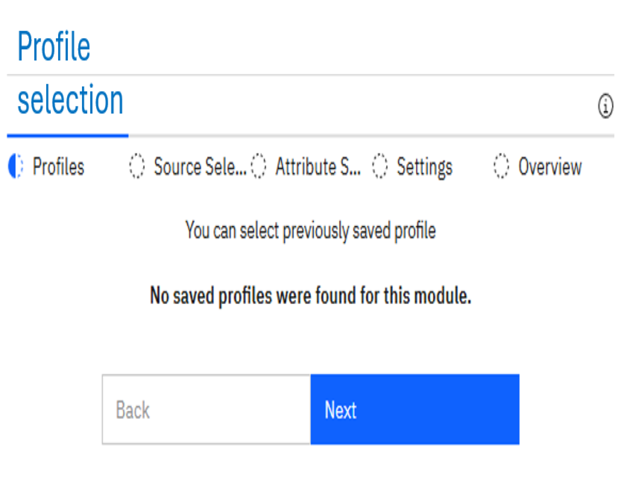
Select Profile (optional)
Saved profiles make repeated work easier. A team can save a comparison setup and reuse it for template refreshes, supplier-specific target modules, release checks or project-to-project adoption. The profile does not replace review; it keeps the setup consistent so the team can focus on the differences.
The profile can be saved after all other selections are made by the user, but the solution works with or without saved profiles so this step is completely optional and the tool allows the users to make the selections even without profiles.
Select source(s)
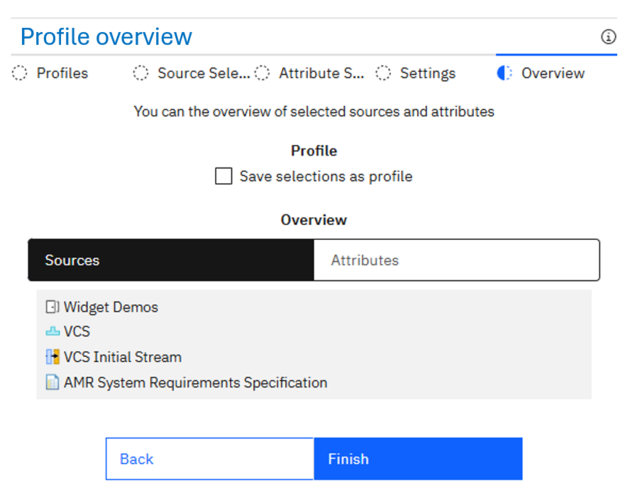
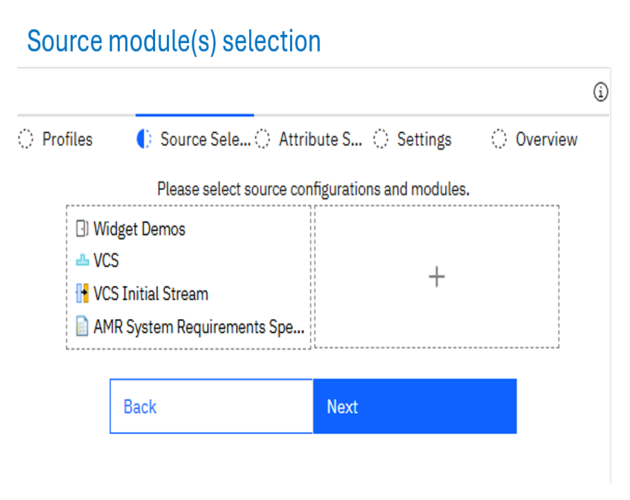
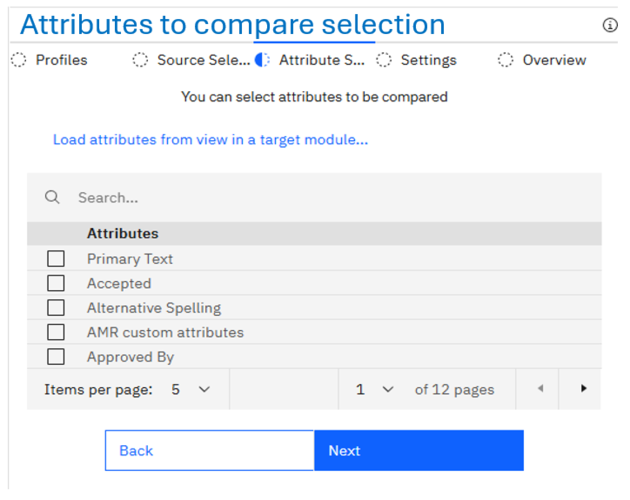
A typical workflow starts in the target module. The user selects the source project area, component, configuration and module, and then chooses the attributes to compare.
By default the tool supports up to four source configurations to be selected, but that limit can be changed in the configuration.
As mentioned in step 1, the selection made by the user can be saved as profile in this during this process and then used in the future by the same or different users, based on the type of the profile (private/public).
Compare modules
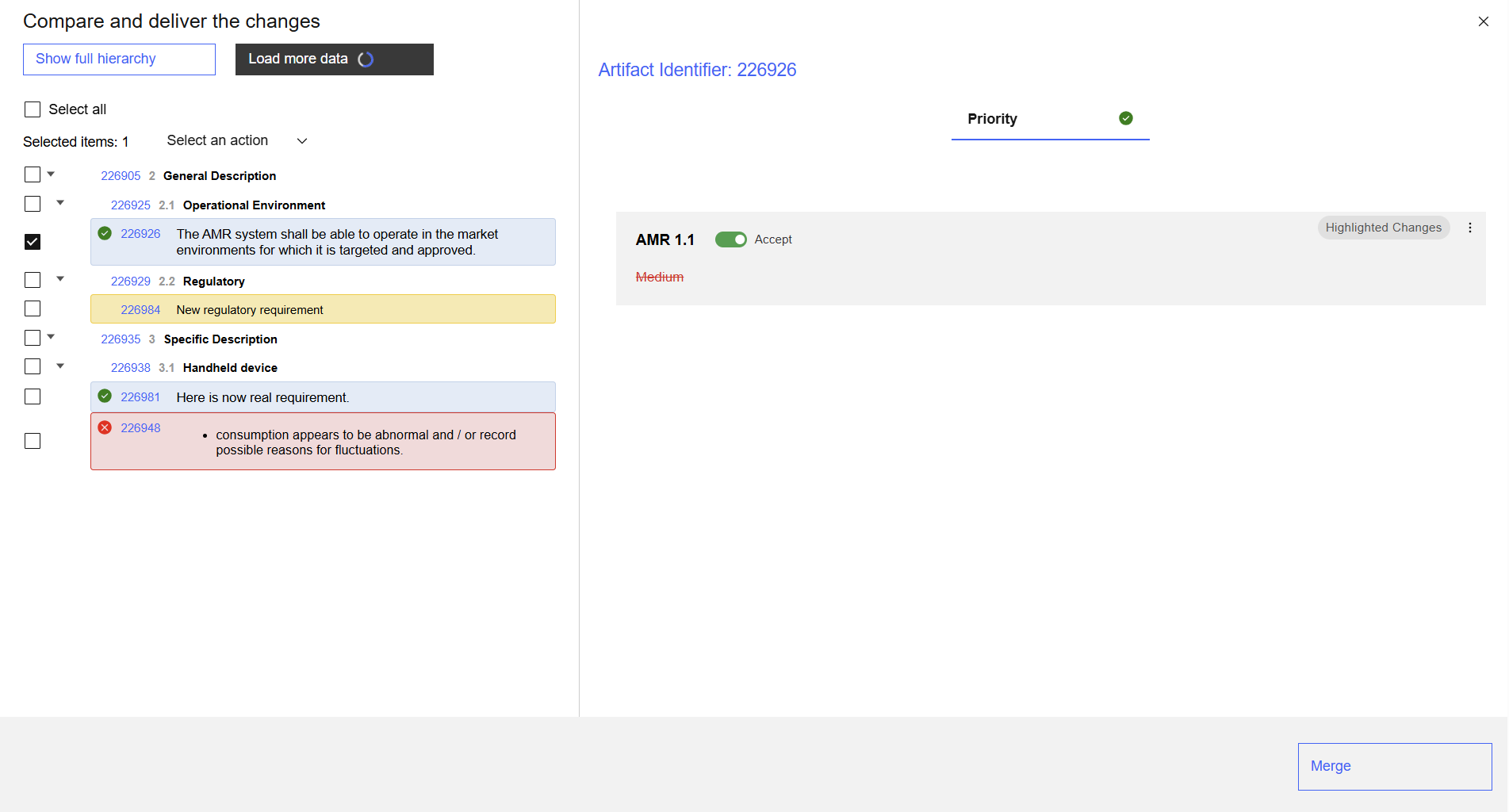
When the comparison is ready, Version Control System shows changed, new and removed artifacts in a structured tree together with the detailed view for a selected artifact, where the user can accept:
all changes in all changed artifact(s)
all changes in selected artifact(s)
specific changes in changed artifact(s)
specific changes in selected artifacts
The tool uses IBM color schema, so the comparison looks very similar to the one DOORS Next provides out-of-the-box.
* The tool supports bulk changes acceptance (auto-accept feature - see FAQ)

Deliver changes
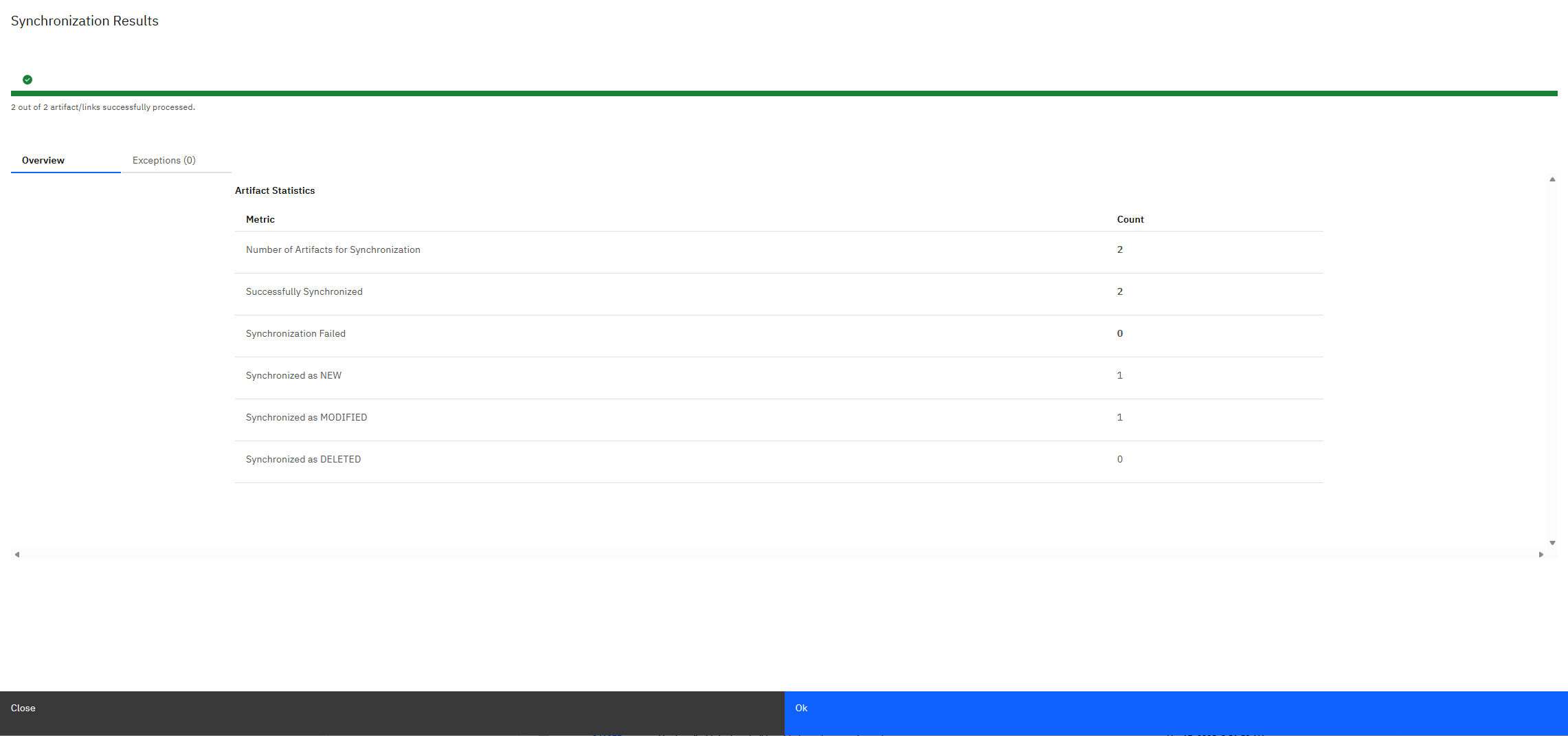
Once the selections are done and the delivery is started, the tool handle this automatically. The user is only provided with an overview of amount of changes based on their type, if the delivery is successful and with the warning/error log if anything goes wrong.
Practical Use Cases
Some examples of use cases that Version Control System migth help you with.

Copy and update modules across project areas, components and DNG servers
Version Control System is useful when a requirements module, or selected content from that module, must be copied into another DOORS Next project area or component. The target gets its own module context, while the team keeps a path for future comparison and updates. For configured DOORS Next to DOORS Next scenarios, the source and target applications can also be on different servers. A broader cross Jazz instance setup is possible by design, but it should be treated as an adaptation on request rather than a default out-of-the-box claim.

Distribute a broad source into selected target subsets
Many organizations maintain a broad source module that contains more requirements than any one target needs. Think of it as a 150% source: it contains the full platform, product, supplier or regulatory scope. A target project may need only the selected 90% or 100% that applies to its responsibility. Version Control System supports that as subset synchronization. The subset can be defined through a saved view, selected scope or profile. Version Control System compares that selected source subset with the target module, and the team adopts only the relevant changes. This is useful for supplier or project distribution. One source stays broad and controlled. Each target receives only the requirements it needs in its own project area or component.

Deliver only the selected part
A source module may contain ten relevant changes, while the target needs only six now. Another change may belong in a later release, and one may not apply to the target at all. With VCS, the team can accept selected changes and decline the rest. The merge step applies only accepted changes where delivery is allowed. That is safer than all-or-nothing synchronization and easier to manage than manual copying.

Build a final specification from several sources
A final specification is often assembled from several controlled sources. Part of the module may come from one or two templates. Other requirements may come from global requirements, internal regulations, risk-derived requirements, same-component streams or configured source-reference links. Version Control System gives the team a comparison-and-adoption layer for that work. The user compares selected sources with the final target module, reviews the changes and adopts only what belongs in the final specification. This should still be described as selected-source adoption, not as an unlimited automatic aggregation engine.

Keep copied content aligned over time
The strongest value appears after the first copy. The source changes, the target may change, and the team needs to decide what to adopt. VCS compares the source and target again and lets the user accept only the changes that belong in the target. This turns copy work into an update cycle instead of a one-time export/import operation.

Requirements reuse scenario: source subsets into target modules
A platform or source team maintains a controlled set of common requirements. Product, project or supplier teams consume only the subset that belongs in their own target modules. When the source changes, the target team does not need to copy the whole source again. Version Control System compares the selected source subset with the target module, shows what changed, and lets the team adopt only the changes that make sense for that target.
Frequently asked questions
For configured DOORS Next to DOORS Next scenarios, yes. Version Control System can work when the applications are on different servers. A broader cross-Jazz-instance setup is possible by design, but it should be handled as an adaptation on request rather than a default claim.
Find Out More
Showcase Video
See the Version Control System in the action.
Webinar
Find out why we created Version Control System.
Materials
Download the materials describing the tool.
Get In Touch
+41 43 5087081
jan.jancar@softacus.com
info@softacus.com
Löwenstrasse 20 8001 Zürich Switzerland
Sign up to our newsletter
Stay up to date with the latest news, announcements, and articles.

We are experts when it comes to consulting and service delivery of IBM software products and solutions in your business.
© 2025 Softacus AG