
ELM WIKI
One platform for your enterpriseknowledgecollaborationdocumentation.
Establish a single source of truth. Improve cross-team collaboration. Maintain traceability across your entire engineering lifecycle.

SOFTACUS IS TRUSTED BY LEADING ORGANIZATIONS






ELM WIKI
Rich Page Editing
With ELM WIKI you can build Knowledge that actually gets used.
Rich Page Wiki Creation in elwis allows your teams to create dynamic, structured, and visually appealing wiki pages — fast and more intuitively.
Powerful Wiki
Editor
Interactive Wiki Editor
We use powerful tiny MCE editor loaded with functionalities (rich text, symbols, pictures, HTML, formating, bullet lists, source code editing, tables, embed video, and much more).
Awesome Page
Builder
Drag & Drop function
Create professional documentation in a modern editor. Drag & drop page elements, embedded images and media, rich text divisions with custom CSS styling, tables, layouts, and structured sections.
Automation &
Workflows
Workflows
Allow your business rules come to life by using easy-to-set-up frontend and backend logic.
No code by default. If you want to code, you can...TinyMCE
We use a powerful TinyMCE editor loaded with functionalities (rich text, symbols, images, HTML, formatting, bullet lists, source code editing, tables, embed video, and much more).
Adjustable type system
Organise your knowledge with attributes, links, tree structure, tags, and many more techniques.
Templates
Start your work fast by using templates and custom deployment logic. Reuse text blocks, pictures, section and also complex parts
Links & Structure
The content can be linked by using customisable link types. Such content can then be displayed in lists, tables or trees. Link content display is adjustable too...
No plugin chaos
Break free from plugin overload. Many features that are typically delivered as plugins in other Wiki platforms are provided out of the box.
Embedded Media & Interactive Widgets
Add videos, images, or even scripts to your rich text.
HTML Tables and Forms
Add impressive forms, HTML tables, or data tables. The data can be easily filtered, grouped, sorted, and displayed in many forms
Charts and Reports
Display your wiki and page data in various forms using Apex chart, pie chart, and diagrams. There are also many cards and table options.
Built in Elwis

Beautiful Wiki Design
CustomizableUILOGICDATA MODELmeet also advanced needs.
Design clean, modern, and fully customized wiki interfaces that match your brand and workflows. Combine structured content, layouts, widgets, and visual elements to create pages that are not only informative but also intuitive and engaging. Build a user experience your teams will actually enjoy using every day.
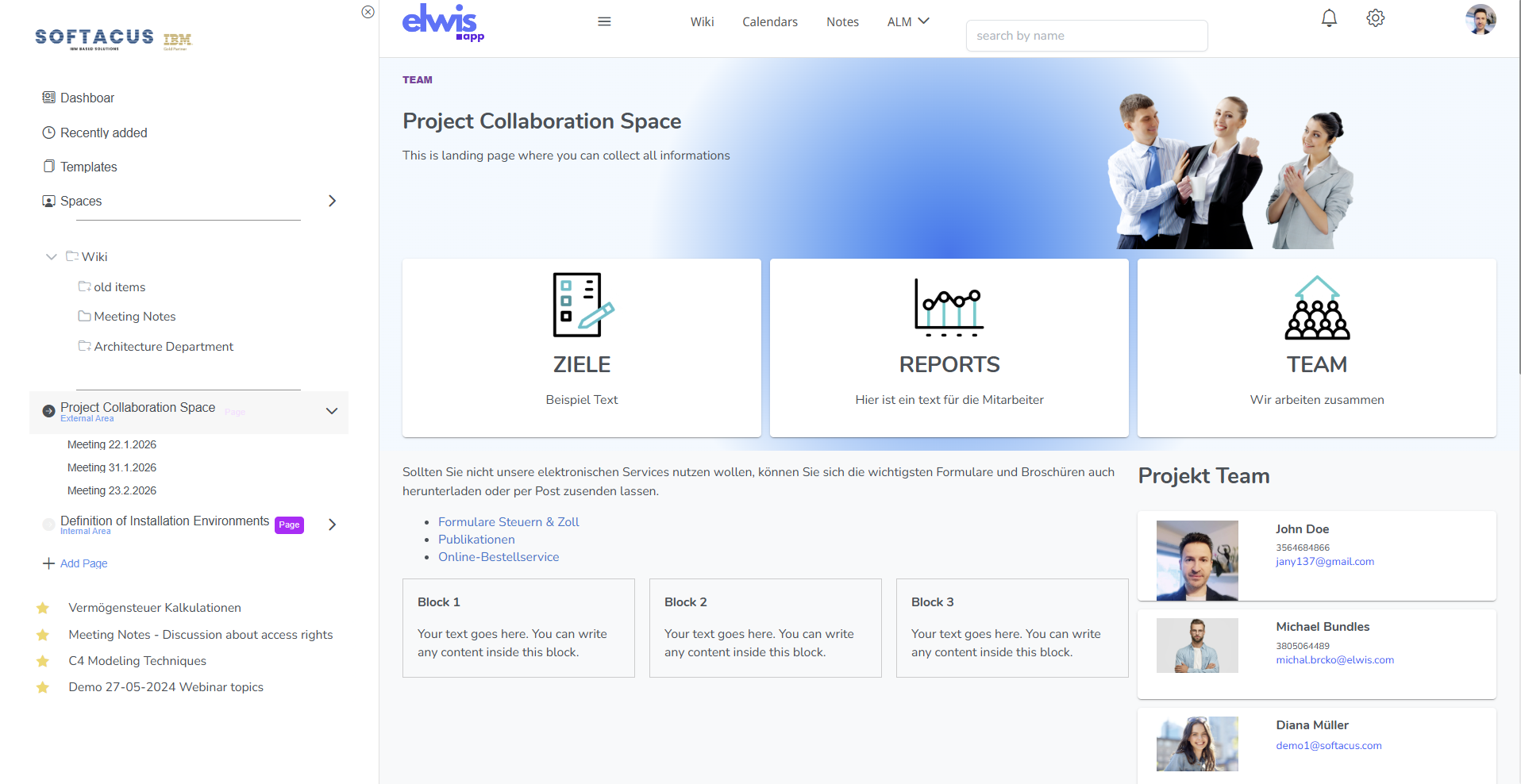
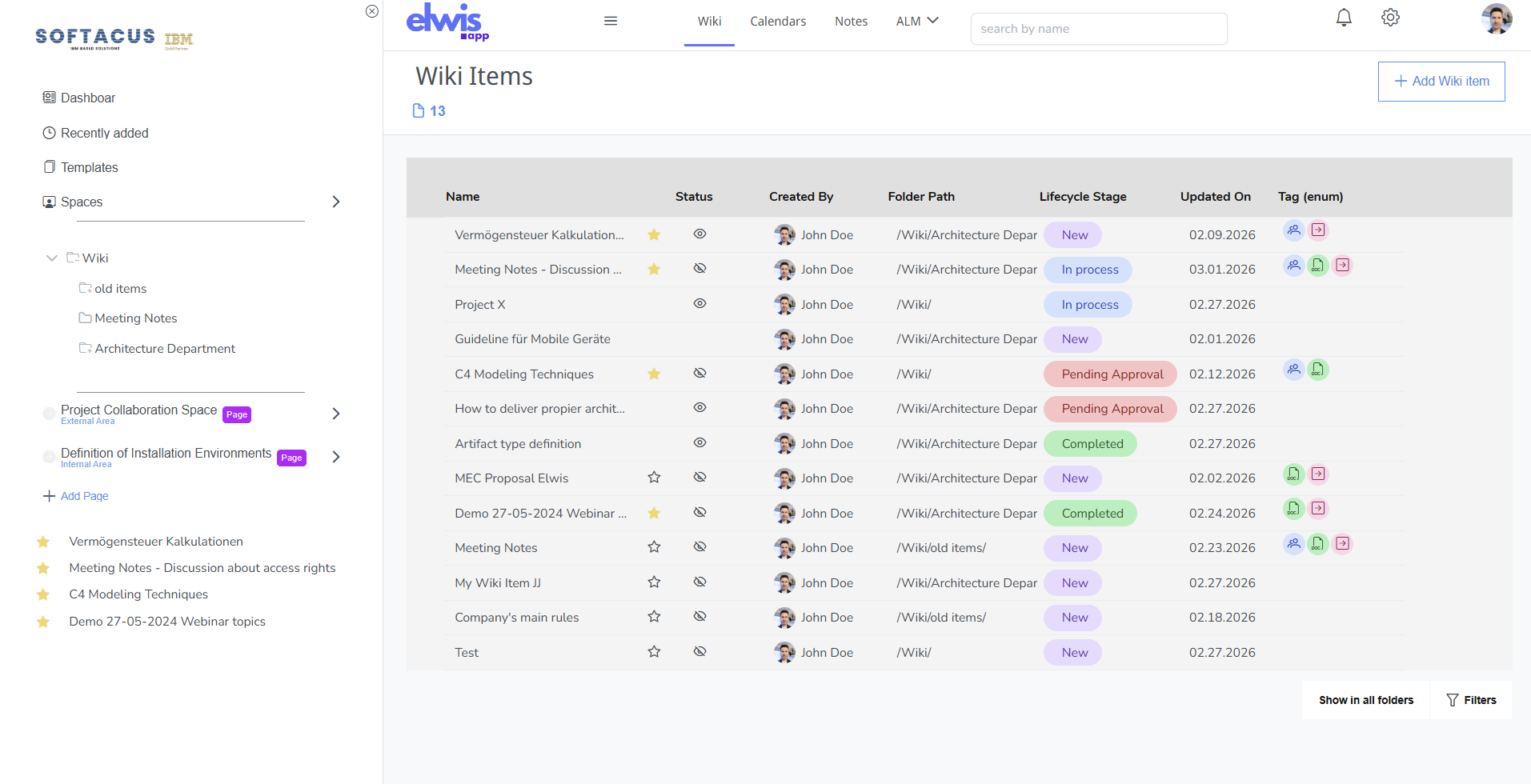
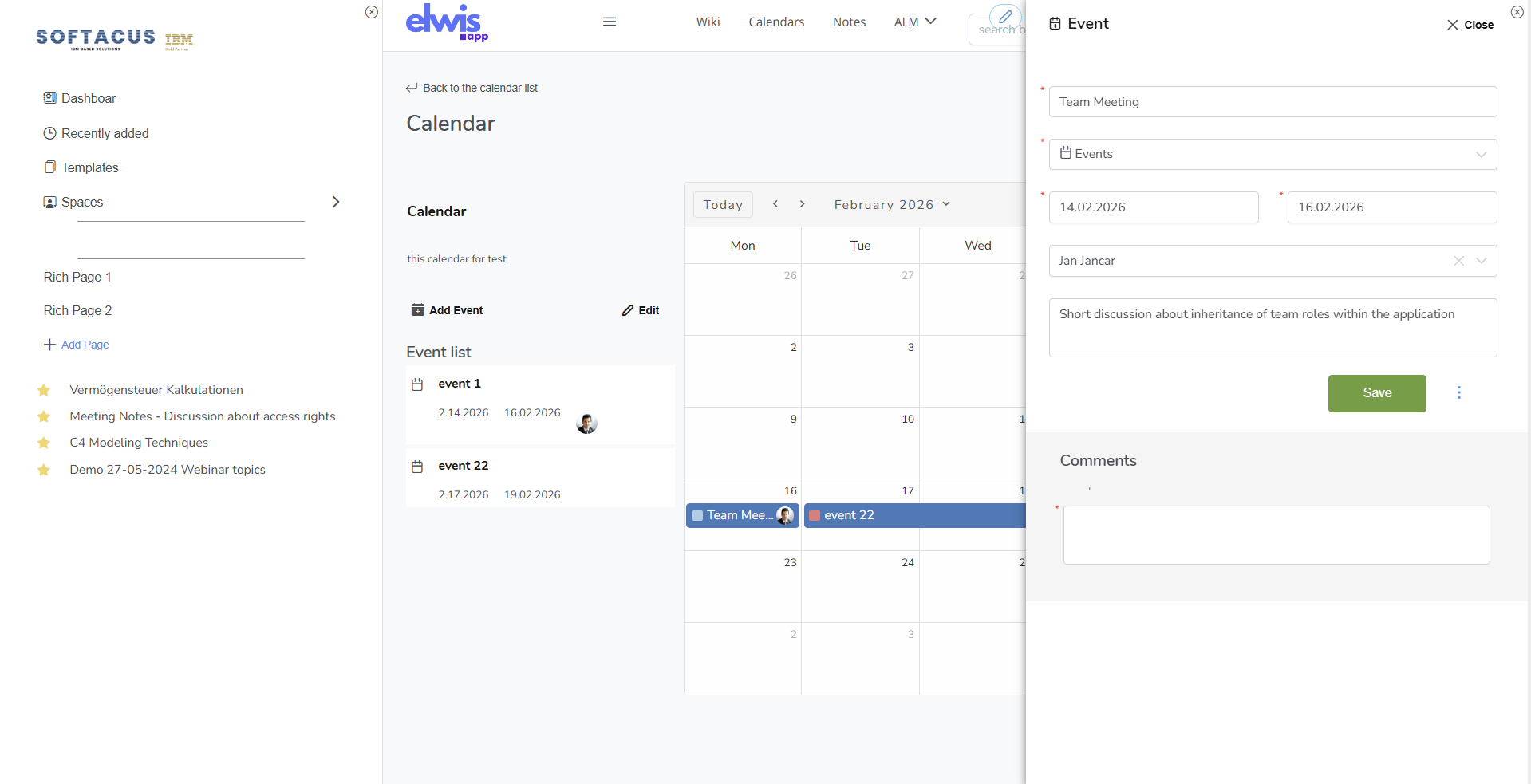
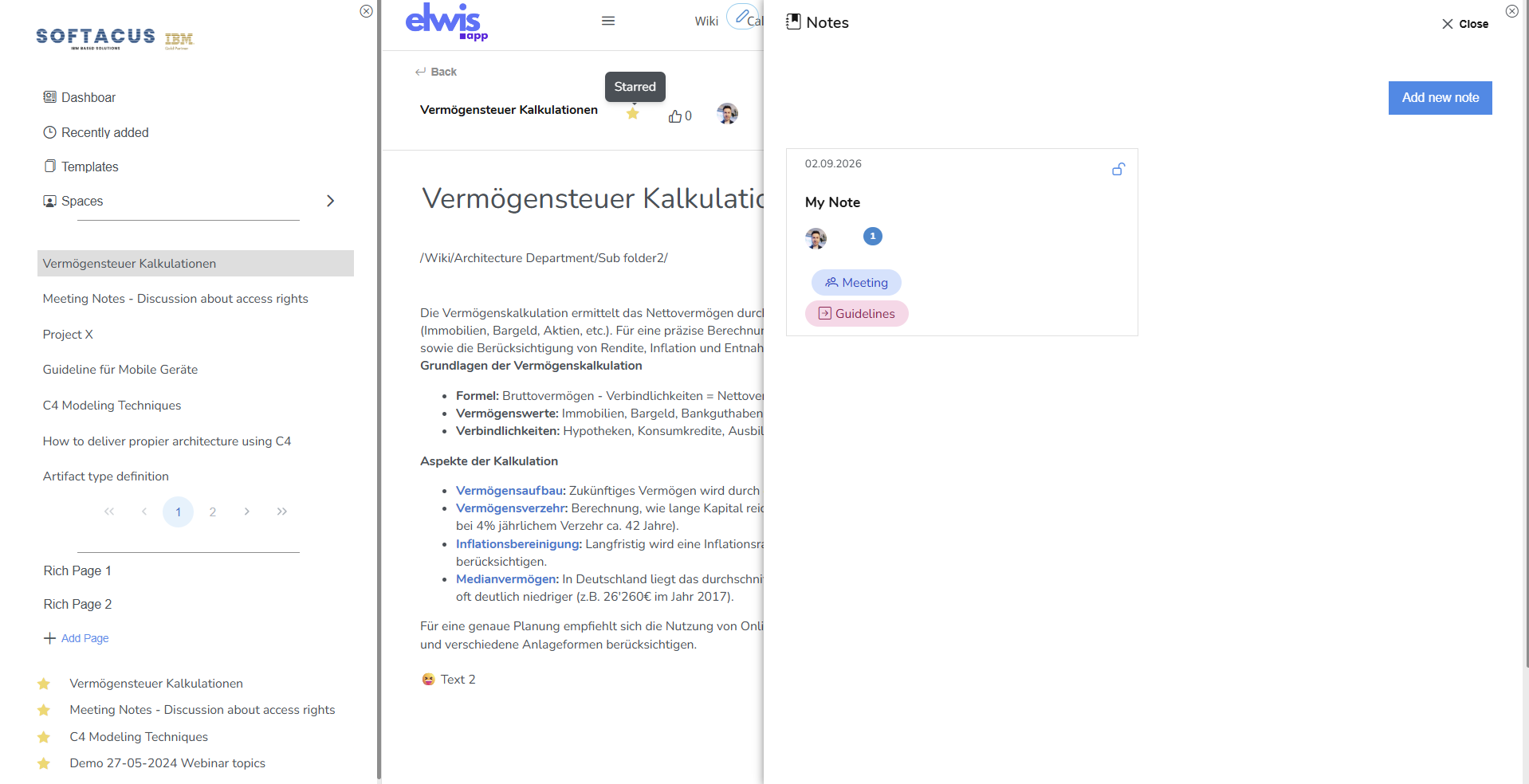
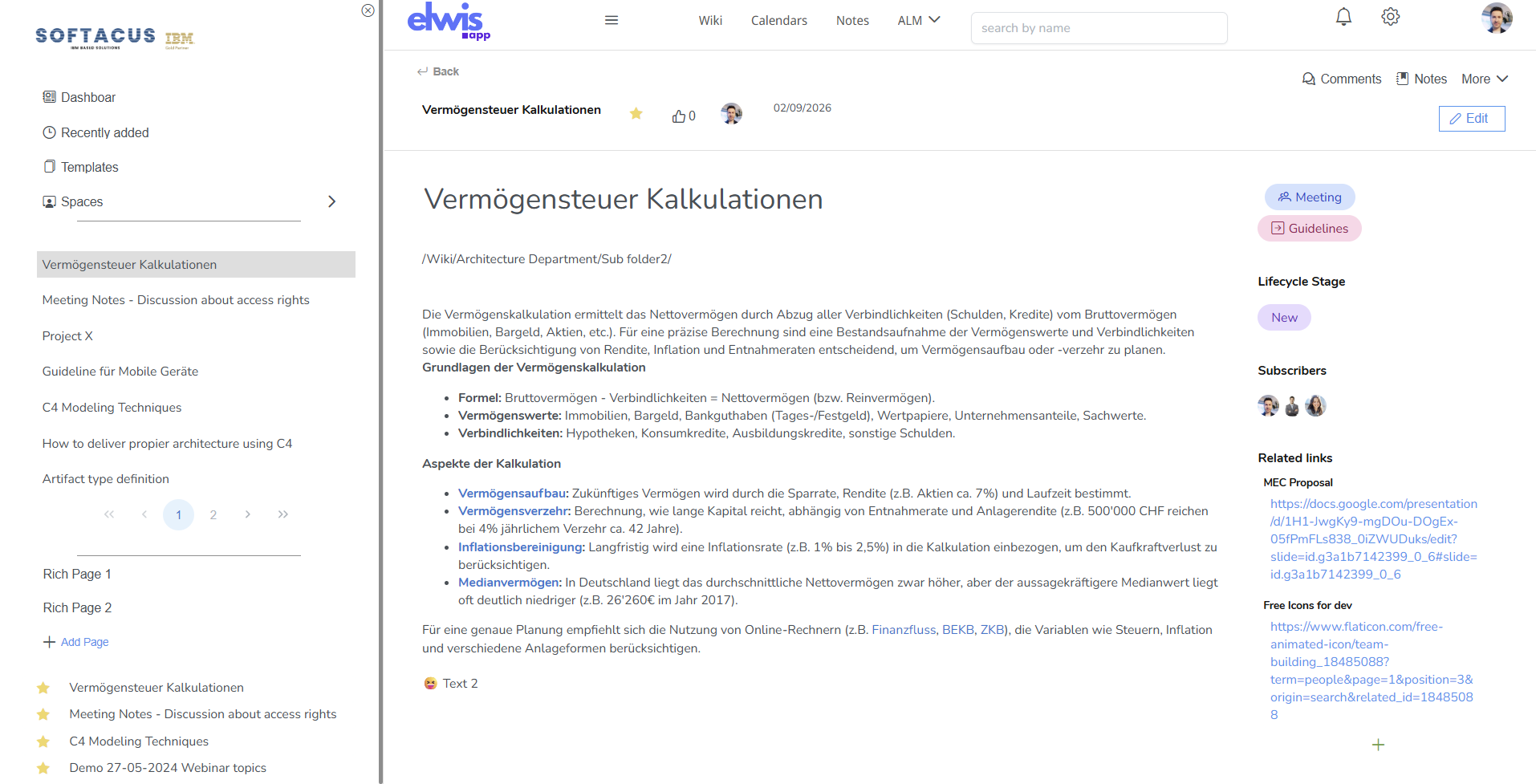
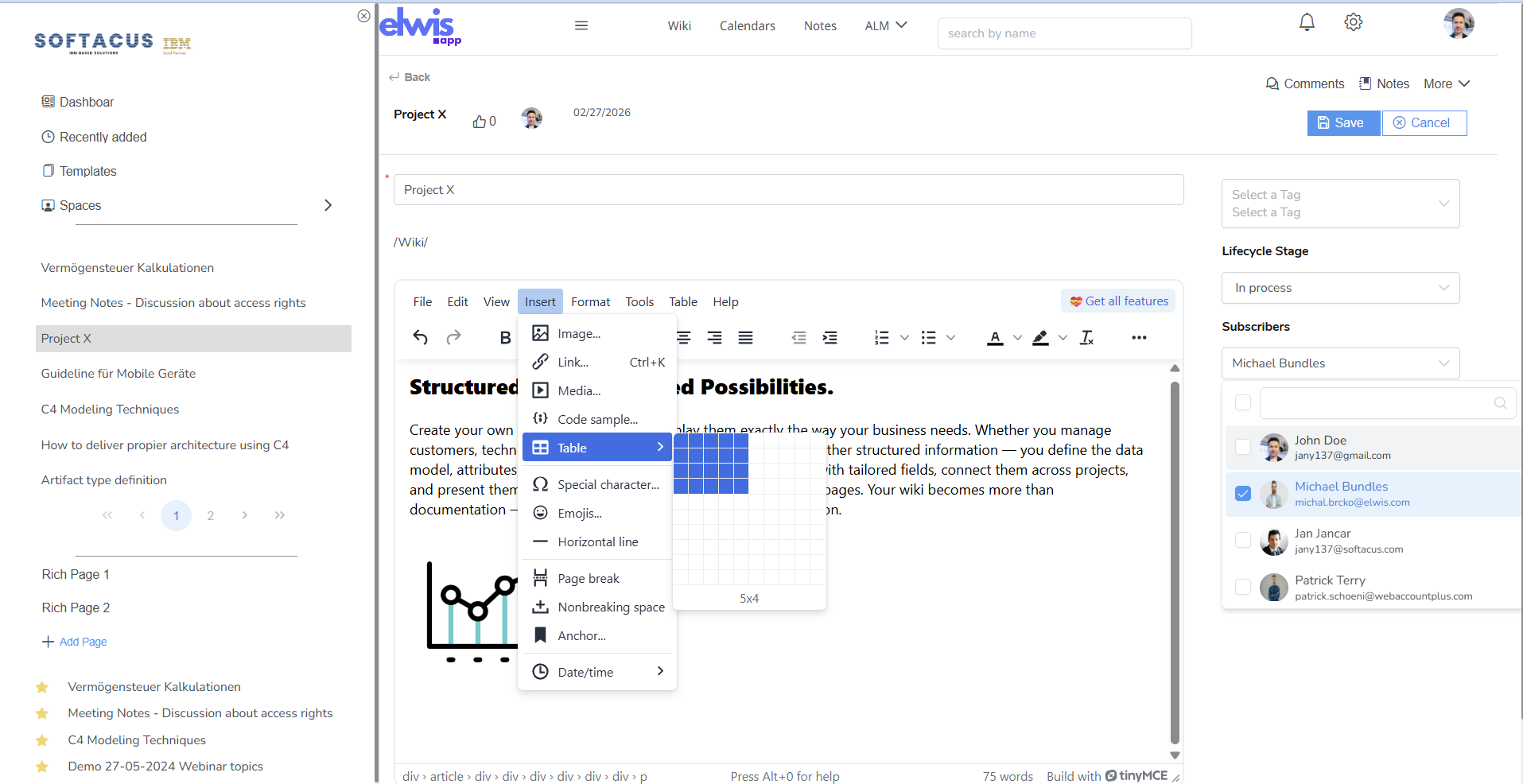
Flexible, customizable, and engaging platform
Flexible to fit your needs
Everything your teams need to manage knowledge, documentation, and collaboration at scale.
- Content & Publishing
- Knowledge Organisation
- Security & Customization
- Rich Content Creation
- AI Assistant
Export to Word & PDF
Export individual pages or complete documentation sets to Word and PDF formats, ready for review, audit, or offline distribution.
Custom Templates
Create your own document templates with corporate logos, custom styling, and business logic — ensuring consistency across all outputs.
HTML & Rich Content Editing
Write and embed raw HTML directly in pages. Create professional documentation with drag & drop elements, embedded media, rich text, tables, and layouts.
Embeddable Content
Embed and edit content inline. Embed lists, filtered data views, images, and structured content blocks directly within wiki pages.
Custom Type System
Define and manage your own type system with 70+ taxonomies. Filter, sort, and organise artefacts to match your domain — then embed filtered views directly on pages.
Charts & Tables from Data
Generate charts and tables from filtered type data. Visualise relationships, progress, and metrics directly within documentation pages.
Tagging & Flexible Organisation
Tag articles, organise content in categories, folders, and multi-level hierarchies — structured your way to reflect your product or organisational needs.
Article Workflows
Define approval and review workflows for articles. Control the lifecycle of content from draft through review to published status.
Per-Item Access Rights
Granular access control at the individual item level. Define who can view, edit, or manage each piece of content independently.
Enterprise SSO & 2FA
Enterprise login with Single Sign-On, Keycloak integration, and two-factor authentication — meeting strict security and compliance standards.
Fully Customisable UI
Tailor the interface to your needs. Optionally adopt Carbon UI for seamless alignment with IBM tooling. Every aspect of the experience is configurable.
OSLC Linking
Native OSLC (Open Services for Lifecycle Collaboration) support enables standardised linking between engineering artefacts across tools and platforms.
Drag & Drop Page Builder
Create professional documentation in a modern, intuitive editor. Drag & drop page elements, embedded images and media, rich text divisions with custom CSS styling, tables, layouts, and structured sections — no external tools needed.
Customisable Workspaces
Workspaces can be customised via drag & drop: navigation and layout, dashboards and widgets, page templates. Customisation can be handled by administrators or by the organisation itself.
Content Structuring Options
Keep information accessible and easy to navigate at scale. Organise with categories, folders, tags, metadata, custom attributes, and custom links between artefacts.
Hierarchies & Relationships
Define multi-level hierarchies that reflect your product, system, or organisational structure — keeping knowledge structured even as your base grows.
AI-Assisted Knowledge Management
Save time and reduce manual effort with a built-in AI assistant designed to support documentation management.
Create & Refine Content Faster
Let ELM Wiki AI help you draft, rewrite, and polish documentation — maintaining consistency across your entire knowledge base.
Improve Search & Discovery
AI-powered search helps teams find the right information faster, surfacing relevant content and reducing time spent hunting for answers.
Reduce Duplication & Staleness
Automatically identify outdated or duplicated content, keeping your documentation clean, current, and trustworthy.
Engaging interactions
Comment anywhere
Adjustable Notifications
Subscribe & Notify
Subscribe to articles and topics with smart dropdowns — stay informed without noise. Customisable save-and-notify logic triggers actions automatically (OOTB).
Comments & Discussions
Post comments on any article. Engage in threaded discussions in context, keeping feedback alongside the content it relates to.

STRUCTURED DATA
Make your own database
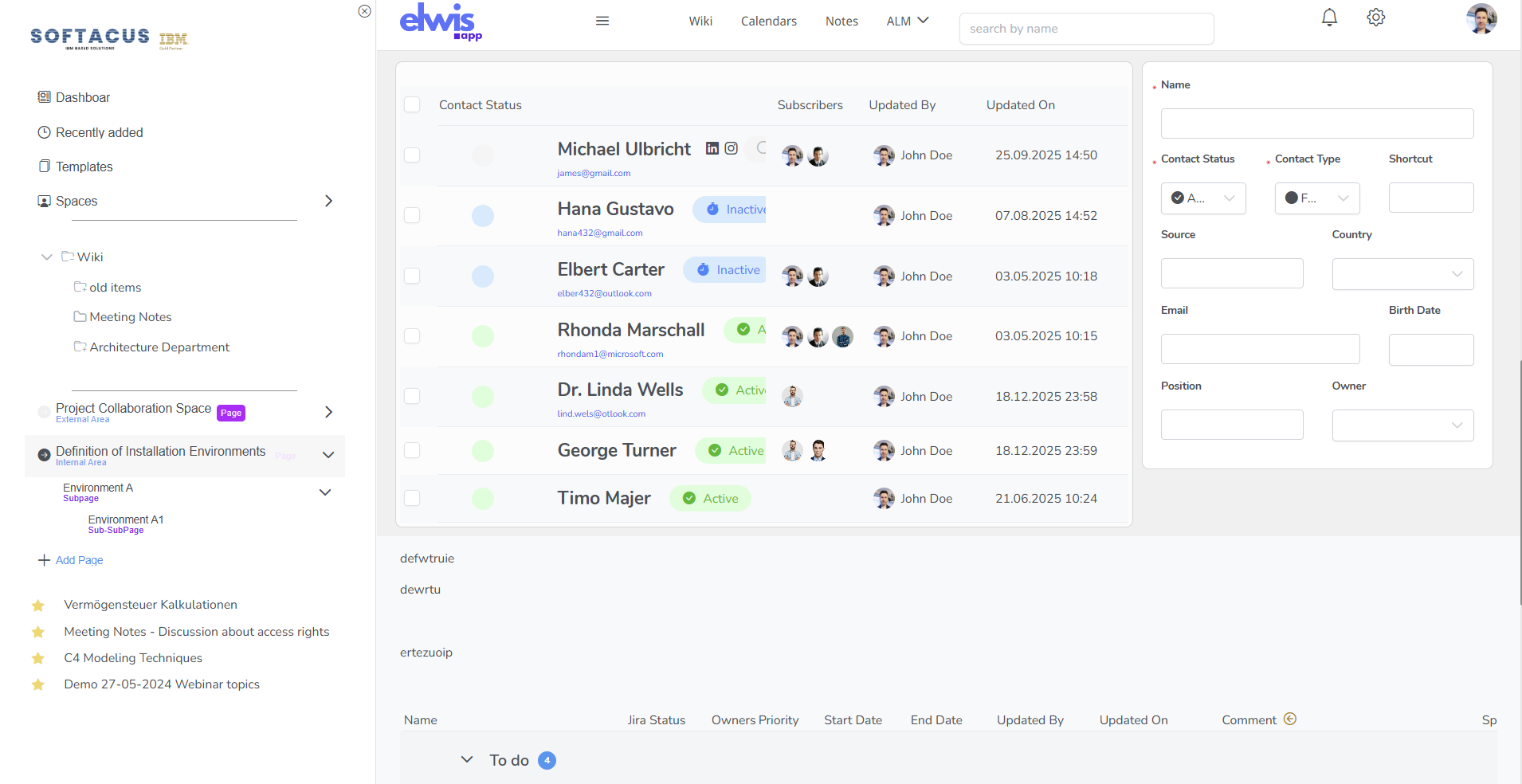
Create your own database objects and display them exactly the way your business needs. Whether you manage customers, technical assets, requirements, risks, products, or any other structured information, you define the data model, fields, and relationships.

Artifact Types
Sometimes also called object types or tables, allows you to create your own type (database) system. Types like wiki item simple, wiki item advanced, meeting, registration, customer, technical field, asset, address, action...
Attributes
Properties of the artifact are fully free with mandatory, optional, and initial values, formulas. Examples: priority, status, address, contributors, sum of hours, etc. Based on enumerations, integer, boolean, decimal, user, etc. Whether single or multiple choice, counter or sum children, you will love it...
Link type
There is an option to setup links (relationships) between artifacts. Parent link wiki - child wiki is just the simplest example. Mandatory depends link, single, multiple, link restrictions, it also addresses advanced needs.

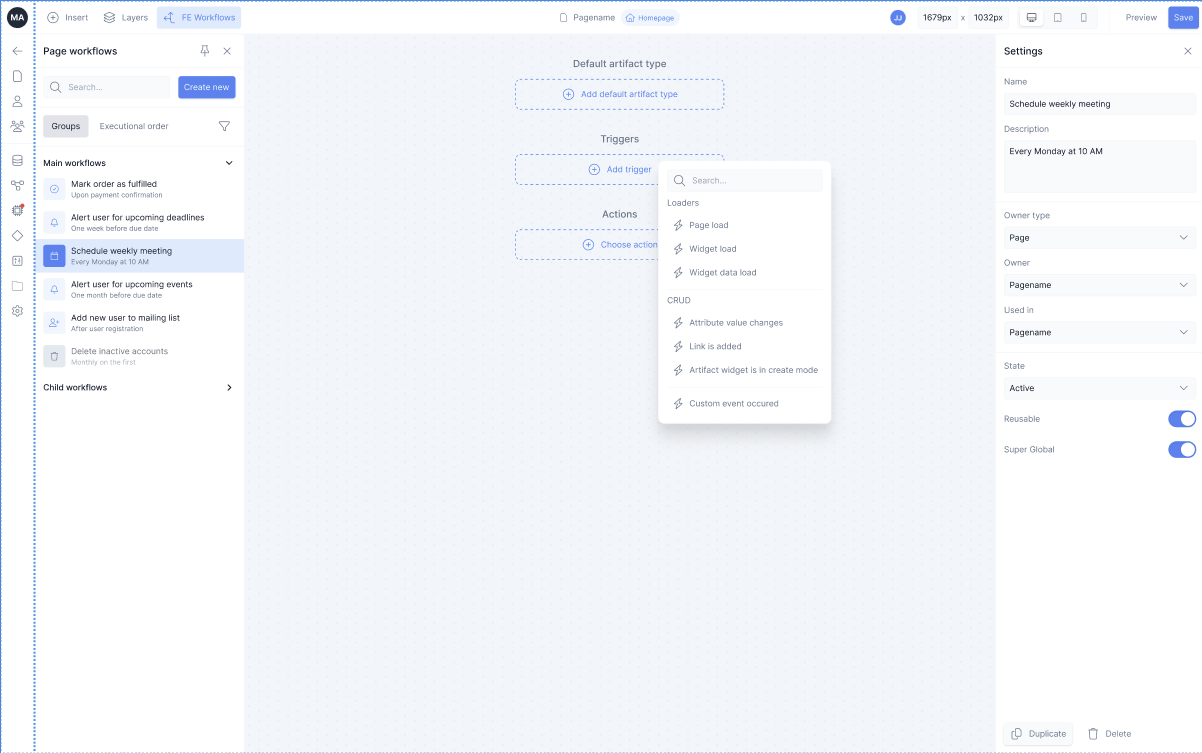
Built-In Automation Power
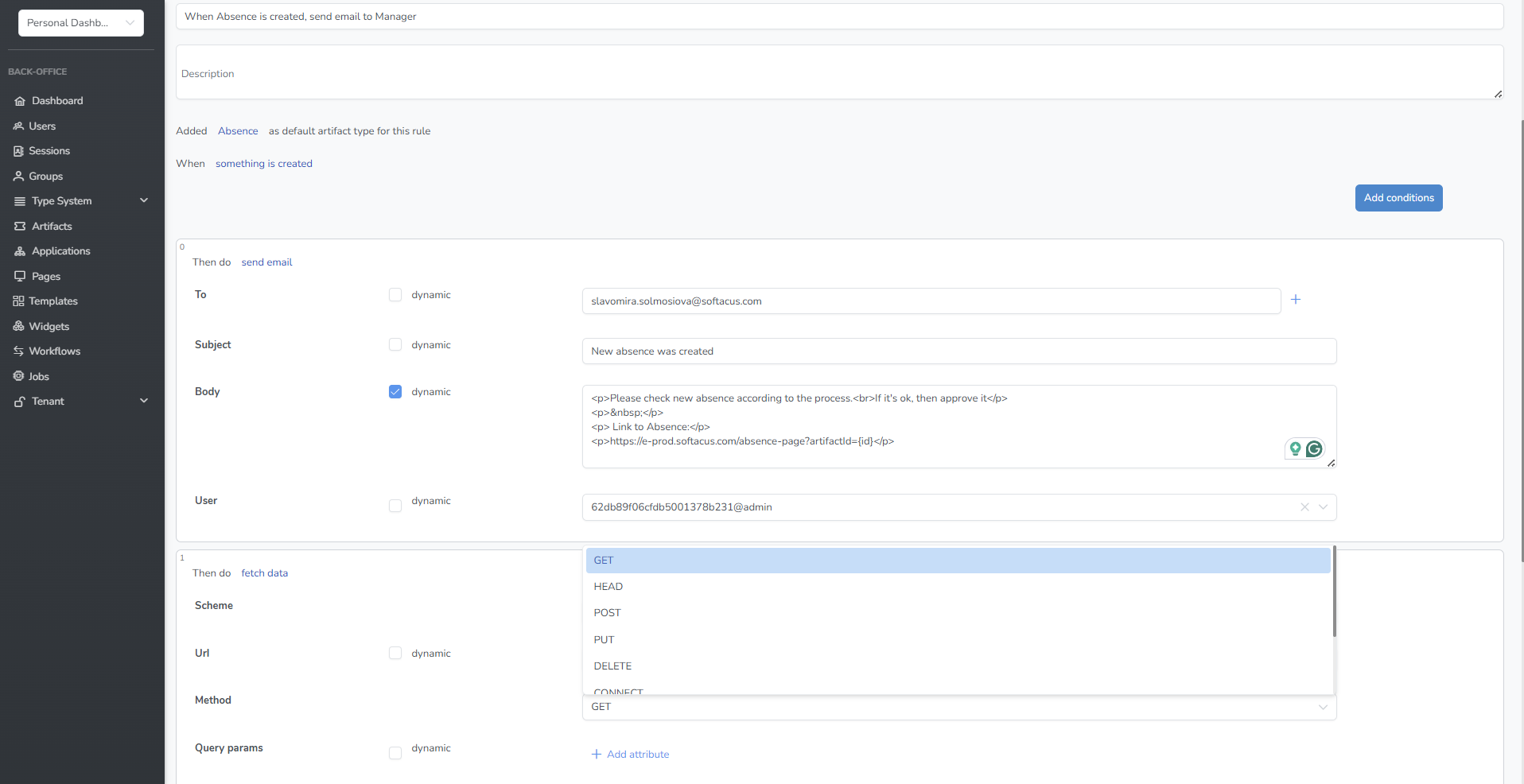
Automate processes directly within your wiki — no external scripts or plugin jungle required. Frontend and backend automation capabilities allow you to streamline workflows, trigger actions, and enforce business logic natively.
Automation
Event-Driven Triggers, Conditional Workflow Logic, Automated Status Updates, API & Integration Hooks
Frontend Wokflows
When the user does this - > hide field, make mandatory, show section, show pop-up, etc.
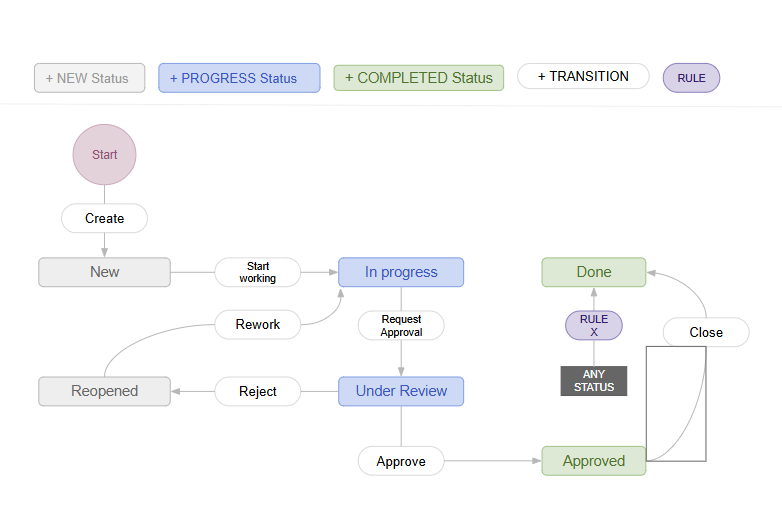
State Engine
Various states and transitions for the Wiki and other items. Preconditions, posconditions, transitions & other logic
Backend Worklows
Change rights based on events, create artifacts, send email, get API data, transform, calculate, etc.
Comprehensive access rights
Where you want to share everything or limit access to individulas & groups....
...we got you covered.
Rights per application space
Define permissions at the space level to control which teams or departments can access specific knowledge domains—public, internal, or restricted.
Inheritence of access
Save time and ensure consistency with automatic permission inheritance from folders and parents, providing centralized control with minimal administration.
Custom access per Wiki items
Override inherited permissions whenever needed.
Individual page-level ACL.
Flexible exceptions for sensitive content.
Group & User Permissions
Assign access rights exactly where they’re needed with flexible, granular control—enable role-based permissions, group-based access, individual user overrides, and enterprise directory integration.
Field Level Restrictions
Control access not only to pages but to specific fields—restrict visibility of sensitive attributes, define editable vs. read-only fields, and secure financial, HR, or compliance data, ideal also for regulated industries.
Custom Workflow Logic
Define dynamic rules using conditional logic—if status = “Approved,” restrict editing; if user role = “External,” hide confidential data; if document type = “Policy,” require a review workflow...
Capture knowledge
IBM ELM Wiki is based on elwis. Elwis brings many advantages to your team.
35%
Increased engagement rate
5000+
Platform customers
65%
Cost reduction
18+
Countries with satisfied users
Enterprise Ready
Secure, scalable, and built for complex organizational environments.
- OpenID Connect (OIDC)
- OAuth2
- SAML
Tenant on Docker Level
Tenant per Database
Tenant per Application
Tenant per Person
- Export to pdf, word, excel
Ability to create custom print templates
Export one page or set of documentations

Migration Services
Softacus provides professional migration services to help you transition smoothly from Atlassian Confluence, XWiki, or other legacy systems. We analyze your existing structure, permissions, and content to ensure a clean and structured migration into your new wiki environment.
Our team preserves relationships, attachments, version history, and access rights wherever required. From planning to go-live, we manage the full migration process — minimizing risk and downtime for your organization.
Migrating from Atlassian?
Our wiki lets teams create structured, secure, and fully customizable knowledge bases hosted locally.
With Atlassian moving to cloud-only, customers who need on-premise control find our platform a compelling alternative.
Doku & Requirements
Hosted on secure servers located in Germany with managed infrastructure and automated updates.
Jira Work & Ticketing
Deployed via containerised installation within your on-premise or isolated environment.
Testing & Planning
Environment can be deployed in any country on typical Cloud providers. It can be managed by our team or yours.
Reporting at your fingertips and most of the features ready to use withouth having to download.
Integration Into IBM ELM
OSLC FRIENDLY
ELM Wiki is designed to operate within complex enterprise tool ecosystems. It integrates with leading IBM ELM components and can be extended to connect with additional systems.


Engineering Workflow Management (EWM)
Connect work items, tasks, issues, and development activities directly with documentation and structured artefacts inside ELM Wiki

Engineering Test Management (ETM)
Link documentation with test artefacts to support traceability between requirements, validation activities, and quality processes

DOORS Next Generation (DNG)
Link documentations, notes, design decisions, and blogs with requirements artifacts in DNG. Wiki flexibility is empowered with configuration management of ELM

OSLC Linking
Native Open Services for Lifecycle Collaboration (OSLC) support enables standardised, bi-directional linking between engineering artefacts across tools and platforms.
Cloud & Onsite deployment
Select the deployment model that best fits your security and compliance needs.
Deploy anywhere Saas, Amazon, Microsoft, or your local site (Docker).
SaaS
Hosted on secure servers located in Germany with managed infrastructure and automated updates.
Local Docker
Deployed via containerised installation within your on-premise or isolated environment.
Custom
Environment can be deployed in any country on typical Cloud providers. It can be managed by our team or yours.
Pricing
Pricing below is for on-site deployment. SaaS and Managed Cloud options available.
Price assumes at least a yearly commitment.
Resell end Whitelabel options.
Softacus IBM ELM license customers can receive special options.
30 days Trial
- Contact us for demo and free trial.
ELM Wiki
- (onsite)
- € 3.90 /user/month (SaaS)
- Wiki loaded with capabilities to capture your company knowledge
Wiki, Work Items, Test Managment
- (onsite)
- € 14.90 /user/month (SaaS)
- ELM Wiki
Jira Work Items
Test Management
Get In Touch
+41 43 5087081
jan.jancar@softacus.com
info@softacus.com
Löwenstrasse 20 8001 Zürich Switzerland
Sign up to our newsletter
Stay up to date with the latest news, announcements, and articles.

We are experts when it comes to consulting and service delivery of IBM software products and solutions in your business.
© 2025 Softacus AG
