AI FOR ALM & IBM ELM
Softacus AI Hub — Intelligent AI for Engineering Teams
Empower your engineering teams to review requirements, draft tests, compare document revisions, and query your systems in plain language.
Connect AI to IBM Engineering Lifecycle Management (ELM) and your third-party tools. Your engineers stay in control, and your existing tools remain the source of truth.
Key Benefits
Here is what that looks like for the people doing the work.
Find an answer
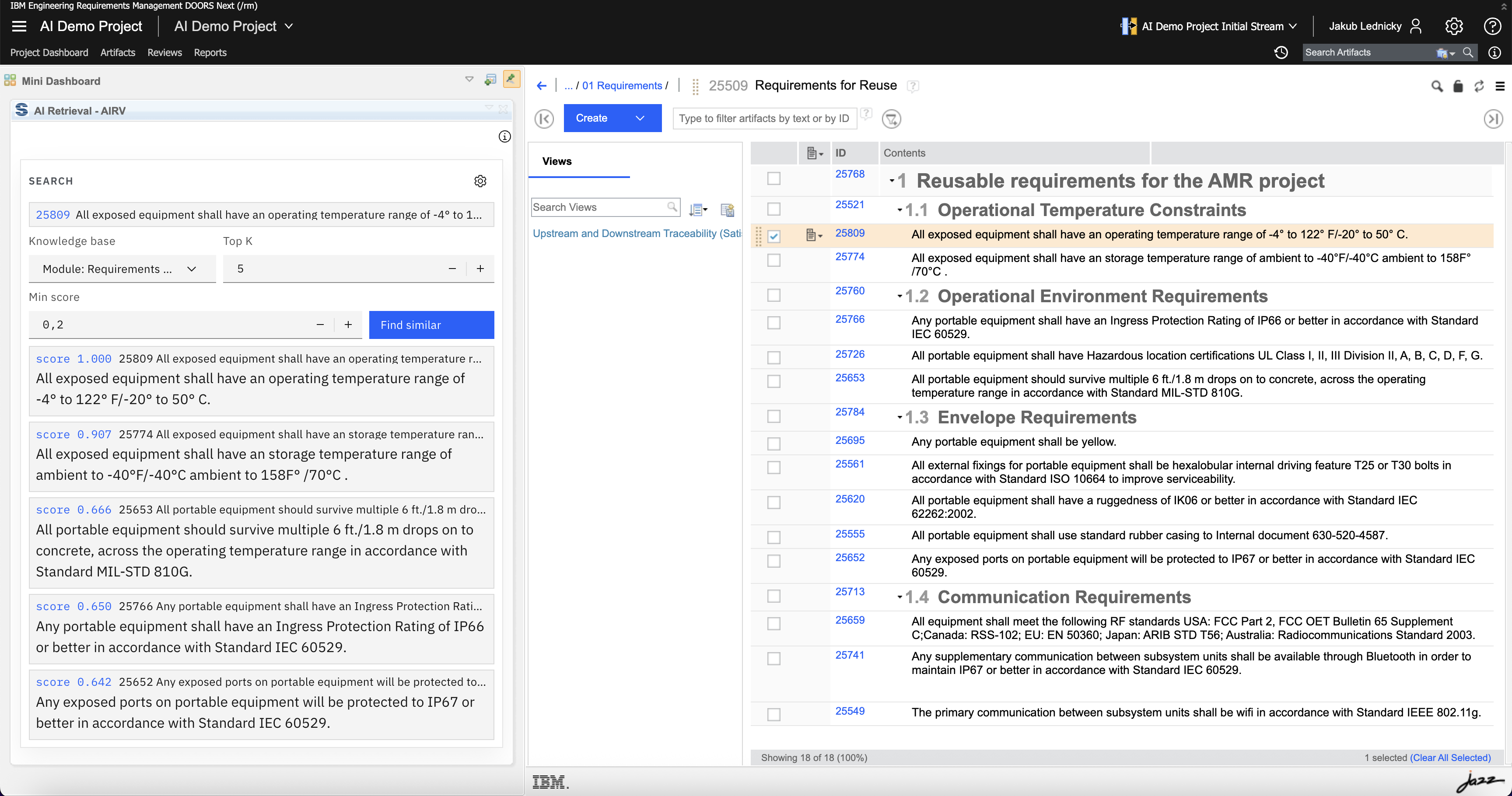
Ask about the requirements in view, or a knowledge base your team selected.
Improve the next artifact
A 0–100 score and rewrite, or a test draft tied to the requirement you choose.
Keep the lifecycle in your hands
A change is written in DOORS Next, Engineering Test Management, or Global Configuration when you ask.
What we solve accross the Lifecycle
Those results show up in three kinds of engineering work.
How it works
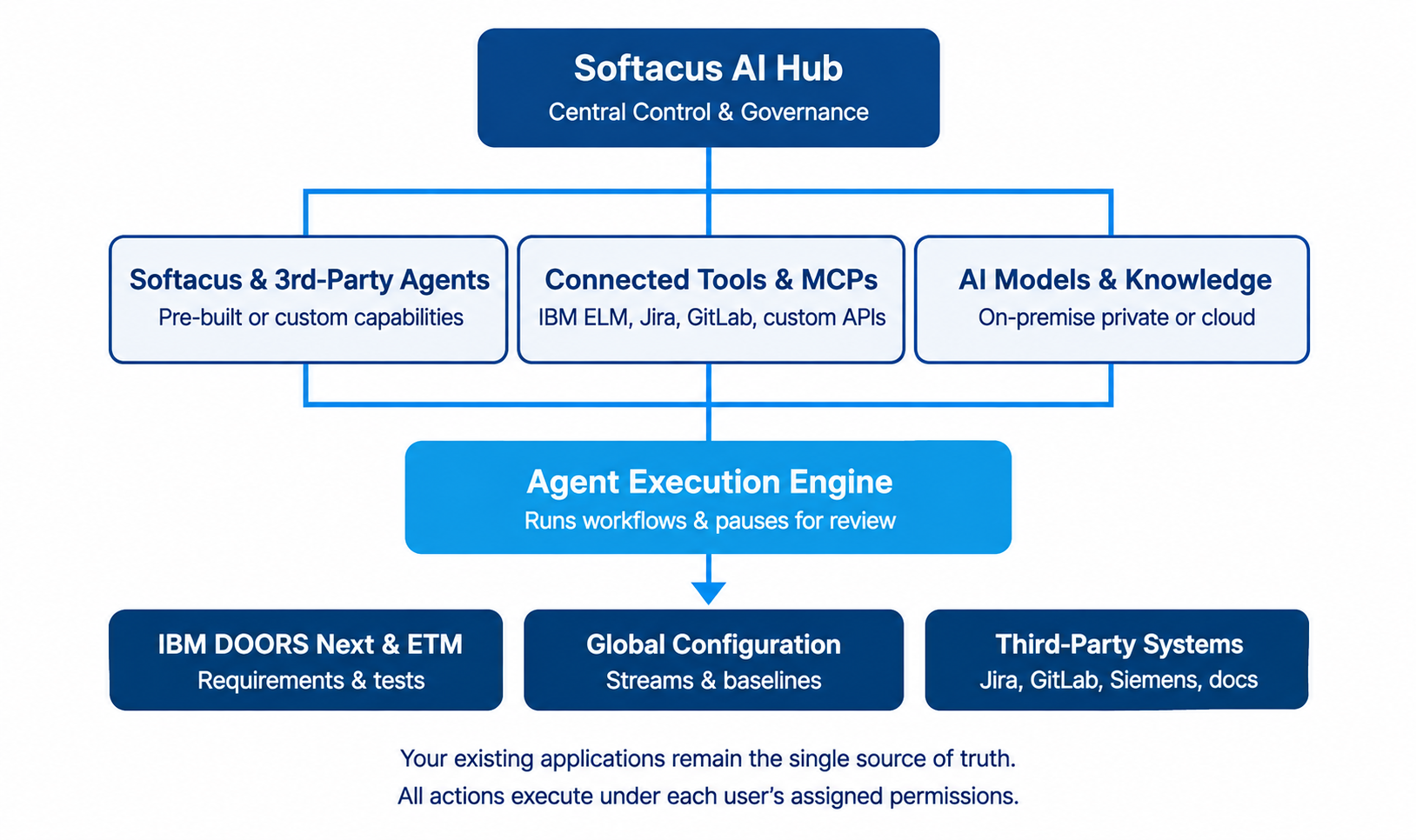
A transparent, repeatable workflow connecting engineers to specialized agents and authoritative systems of record.
The same path serves a writing check, a comparison, a test draft, or an update in ELM.

Interactive Preview
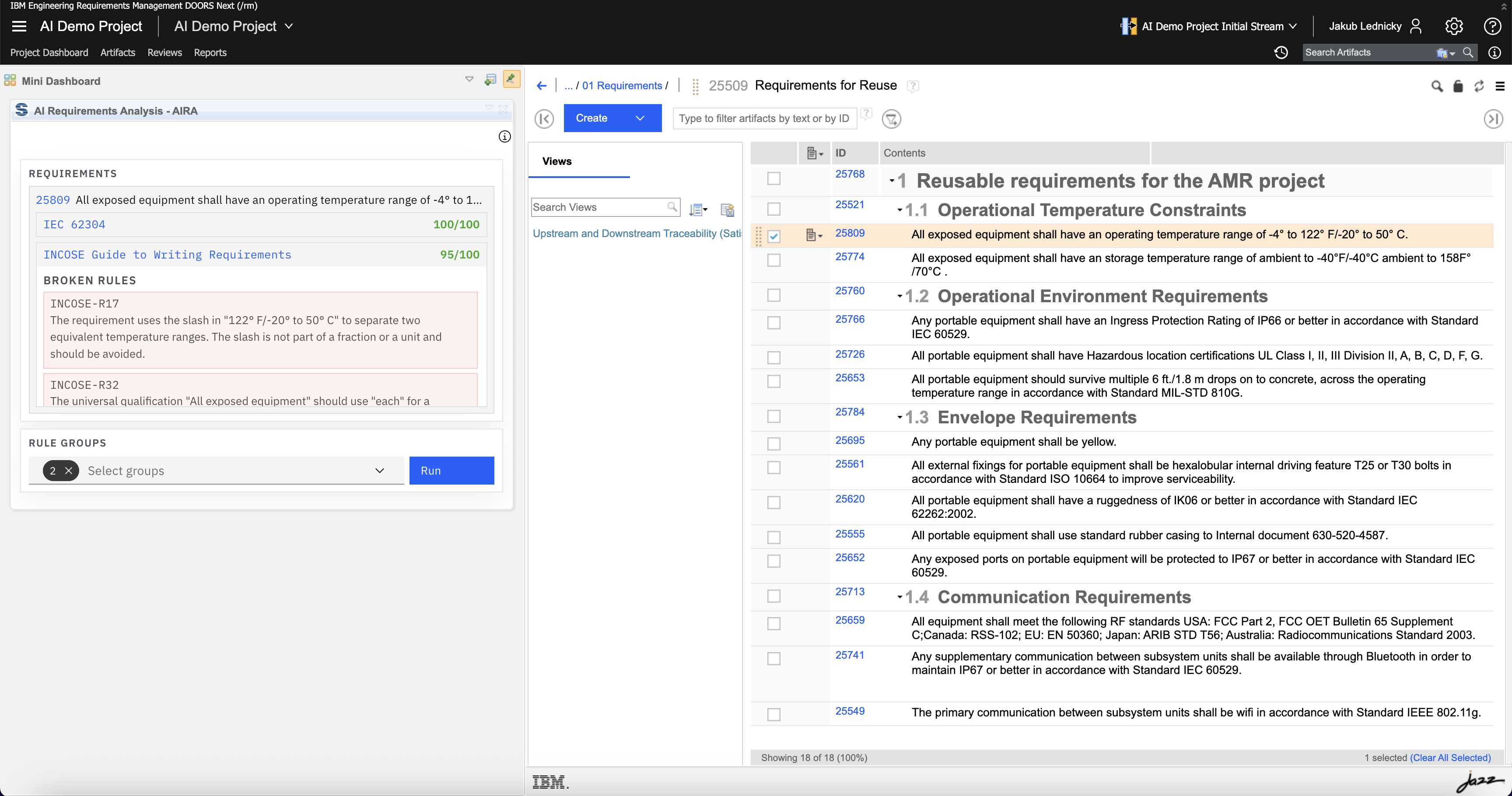
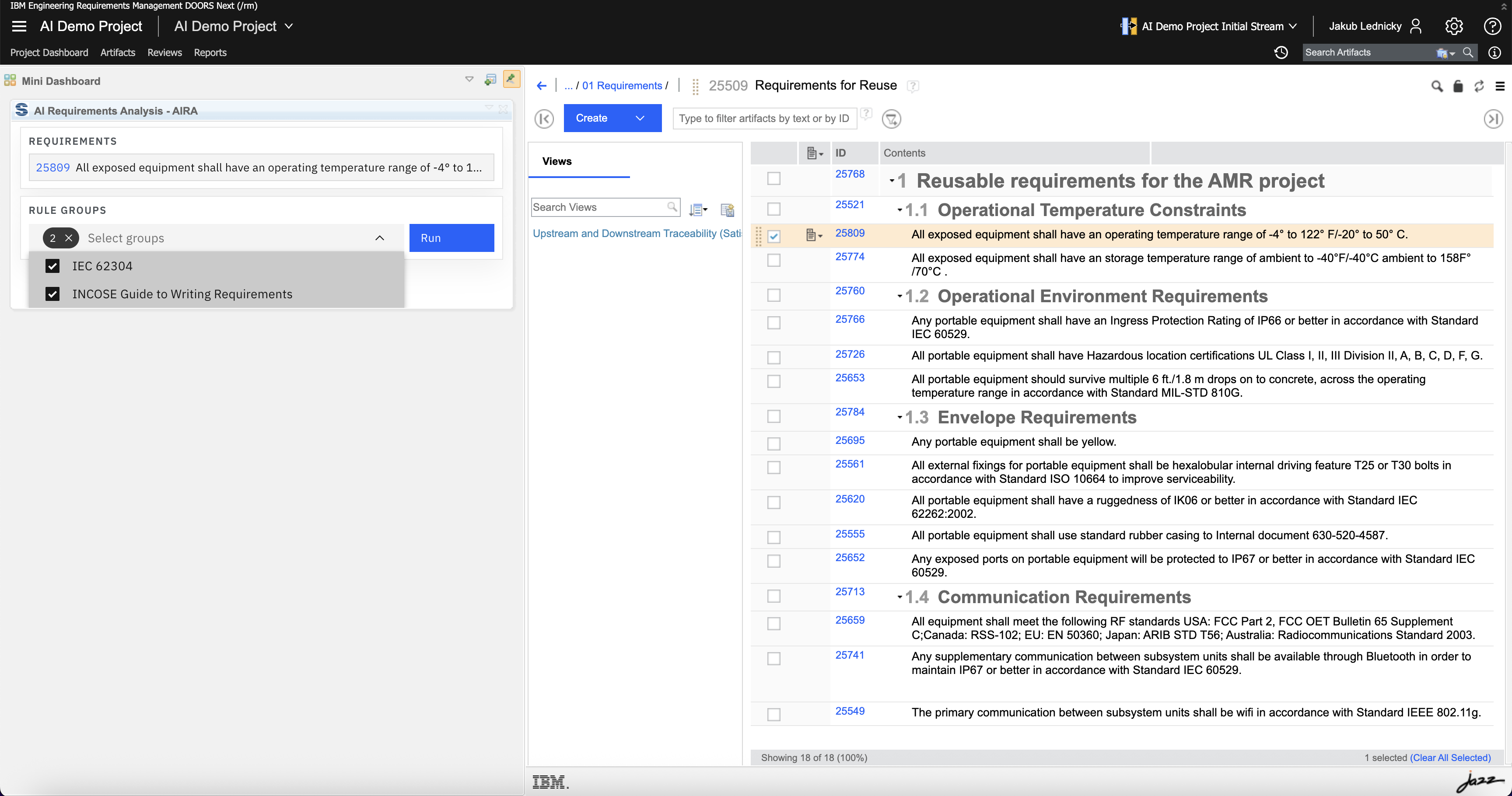
“Review this requirement against INCOSE and show which rules moved the score.”
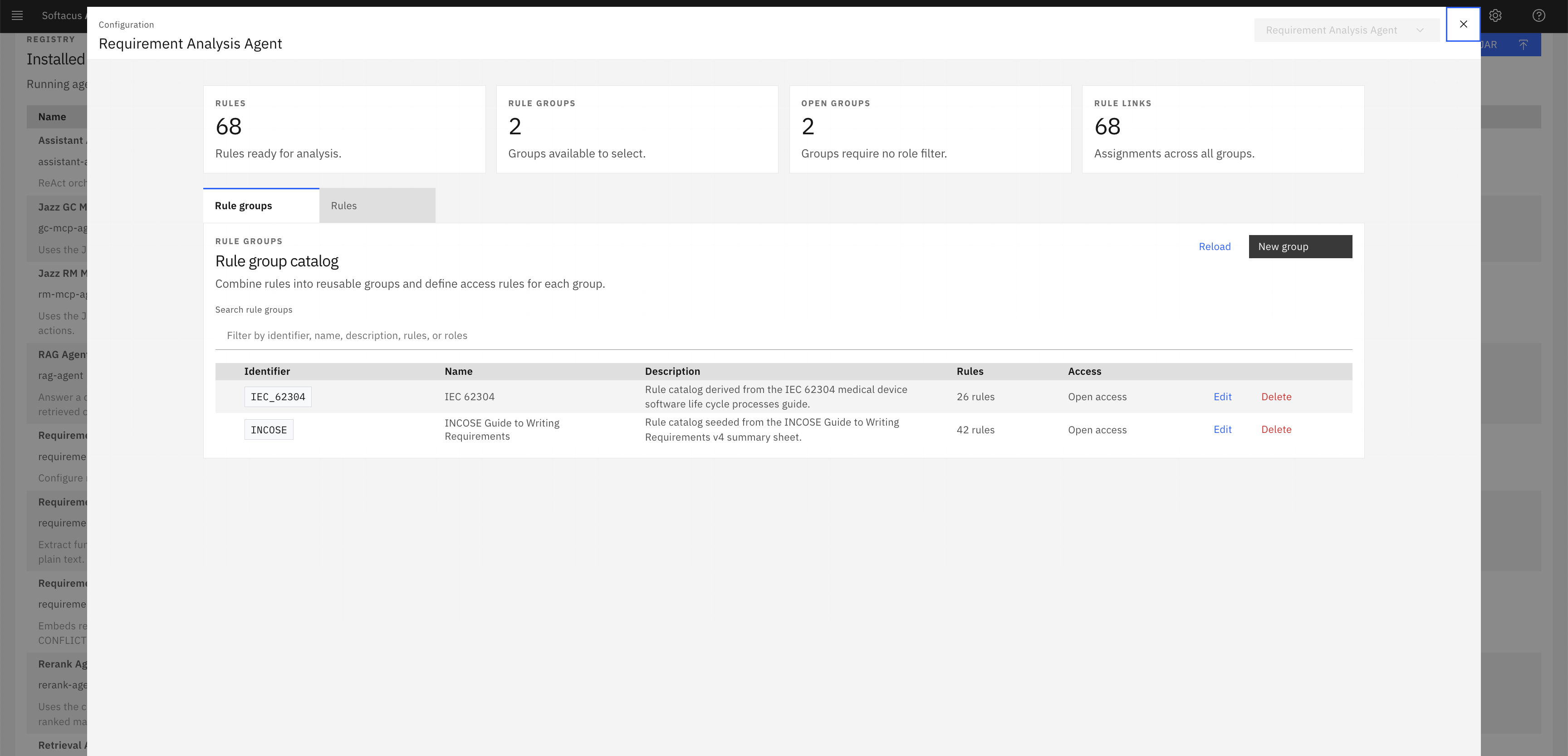
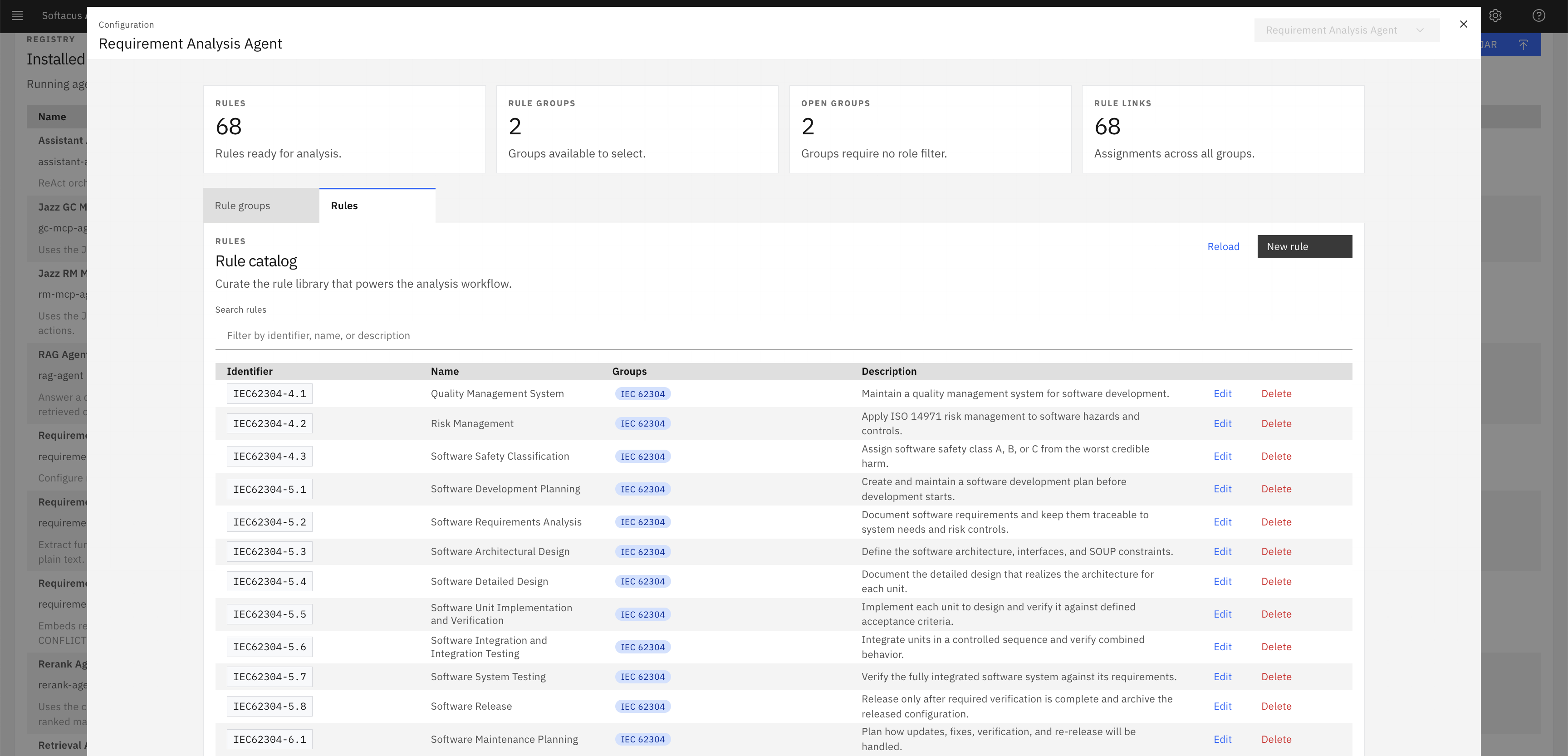
The Quality Analysis Agent checks the requirement against 42 INCOSE rules, calculates an objective 0–100 score, itemizes violations, and proposes an improved rewrite. Saving the text to DOORS Next is an explicit user confirmation.
4 core AI Capabilities
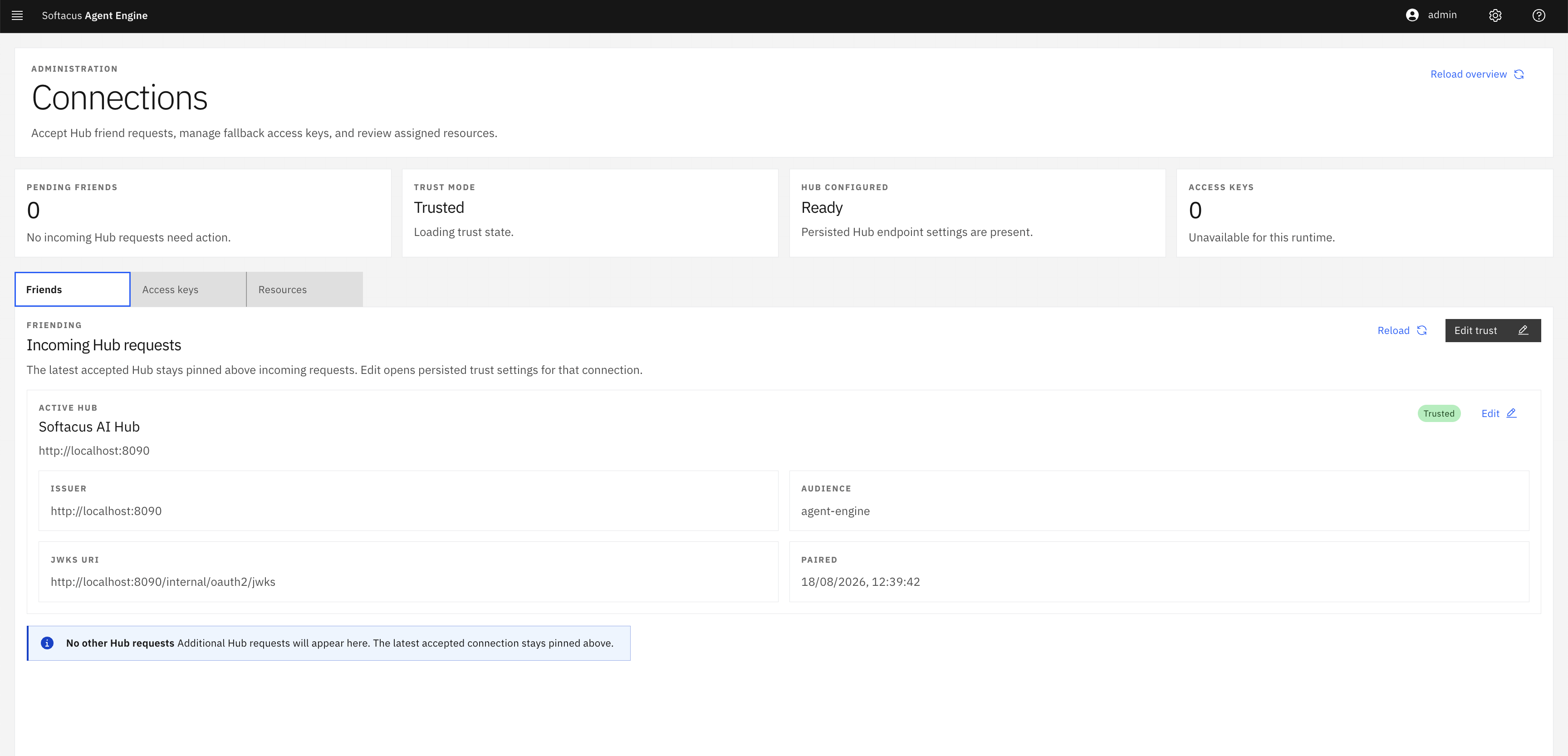
Softacus AI Hub organizes its production agent fleet across four core functional areas of systems engineering.
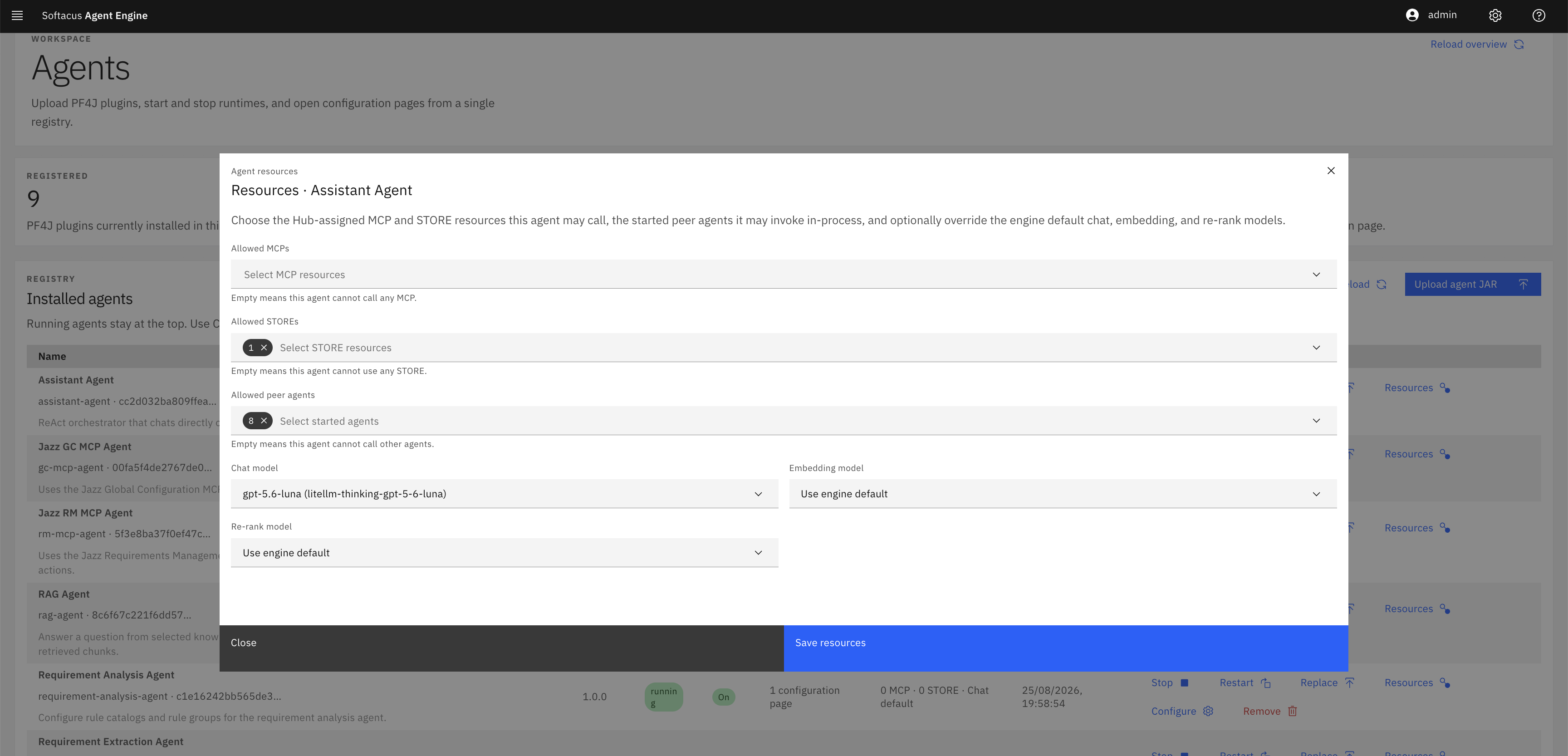
Agentic AI & Connections
Autonomous task planning, natural-language tool queries, and open Model Context Protocol (MCP) tool integration.
Requirements Quality & Audit
Formal INCOSE rule evaluation, 0–100 quality scoring, automated rewrites, and ASIL categorization.
Knowledge, RAG & Intake
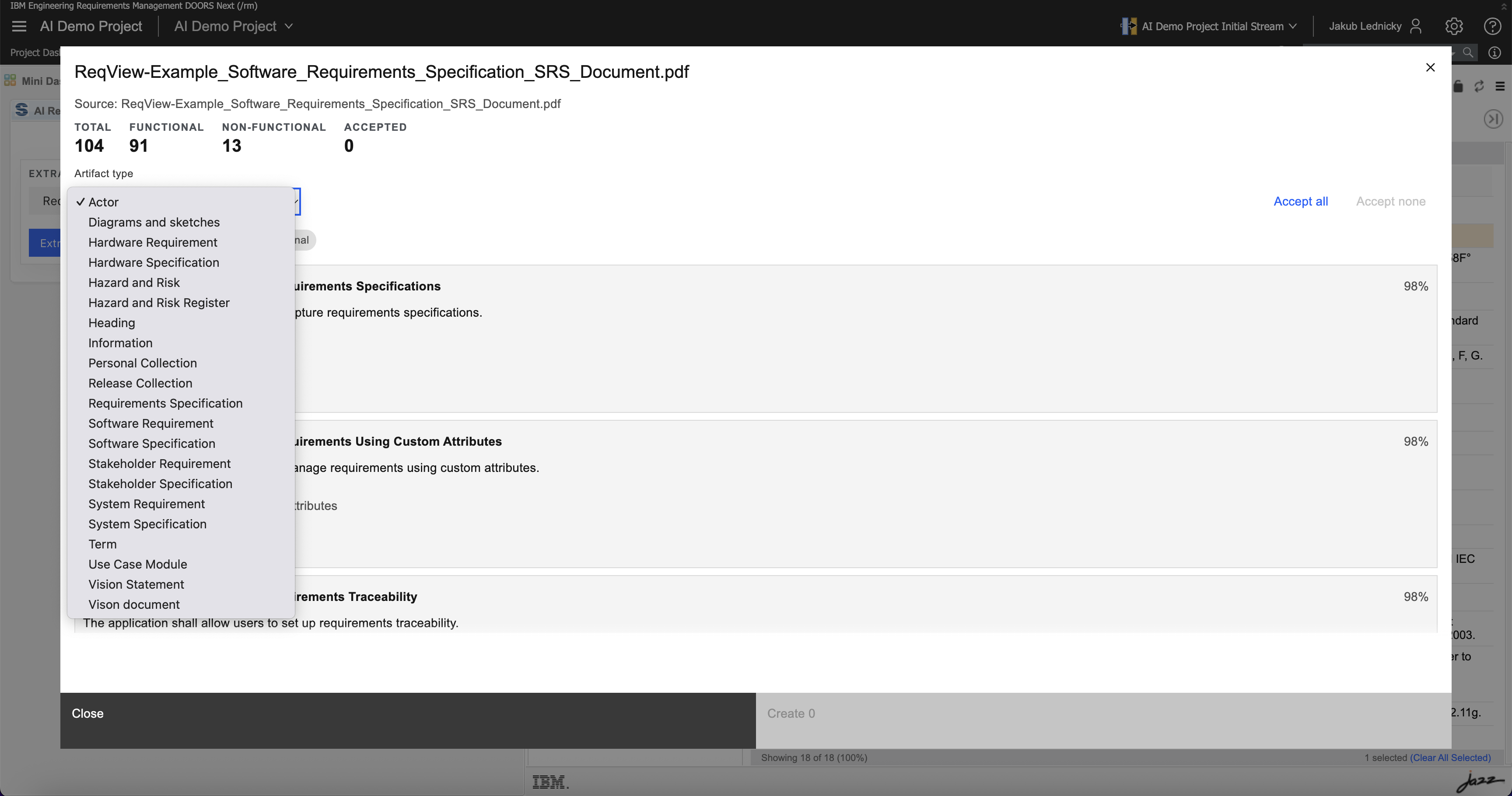
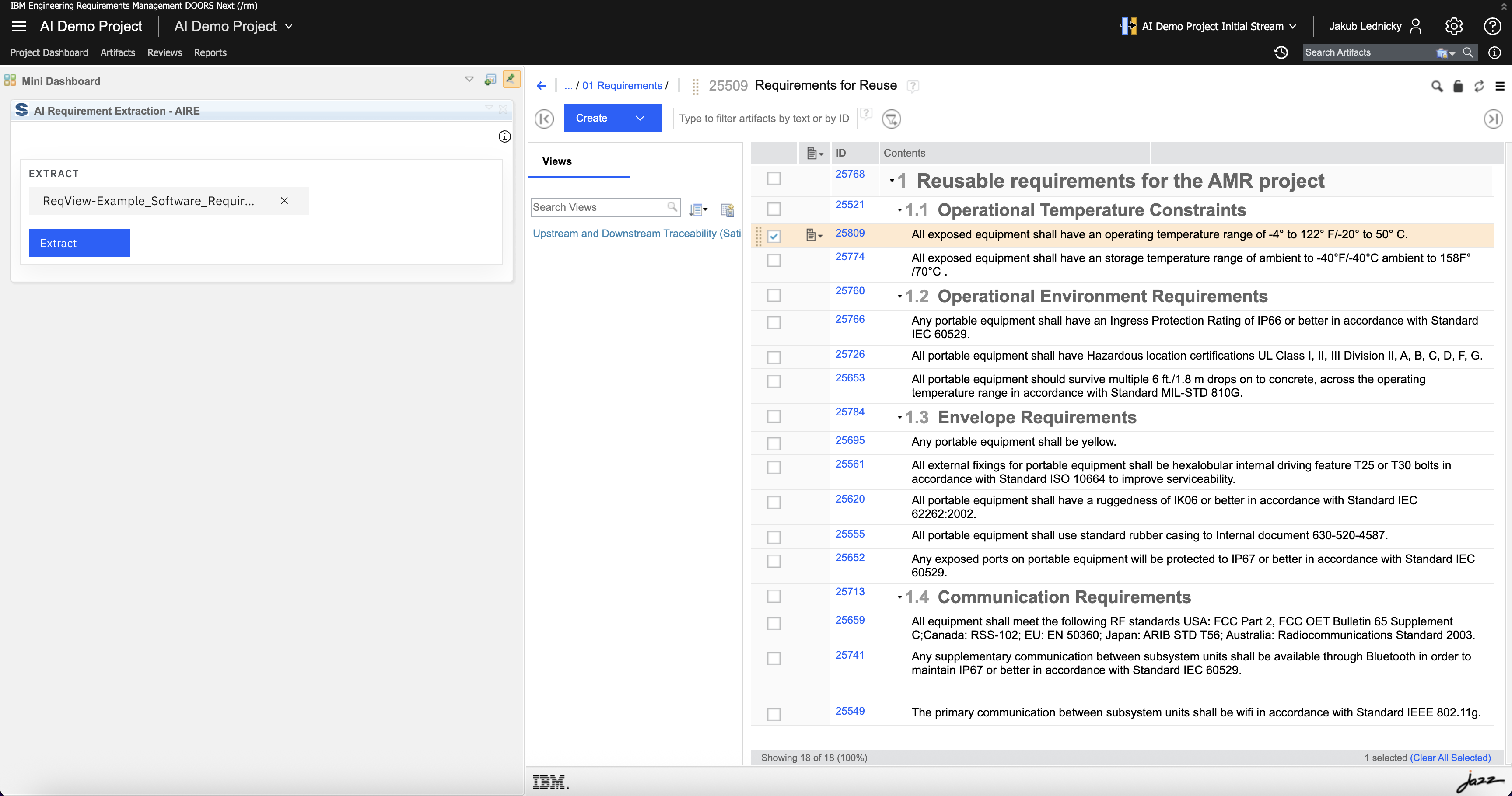
Extracting requirements from PDFs/Word with verbatim quotes, resilient diffing, and grounded Q&A.
Verification & Test Drafting
Automated test case generation, manual verification scripts, and bidirectional requirement traceability.
1. Agentic AI, Autonomous Workflows & Tool Connections (MCP)
Coordinate multi-step engineering tasks with autonomous agents that plan, retrieve context, and interact directly with your engineering tools.
Multi-Agent Task Planning
The Engineering Assistant coordinates specialized agents to break down and executre comples multispe engineering jobs.
Universal Tool Connections (MCP)
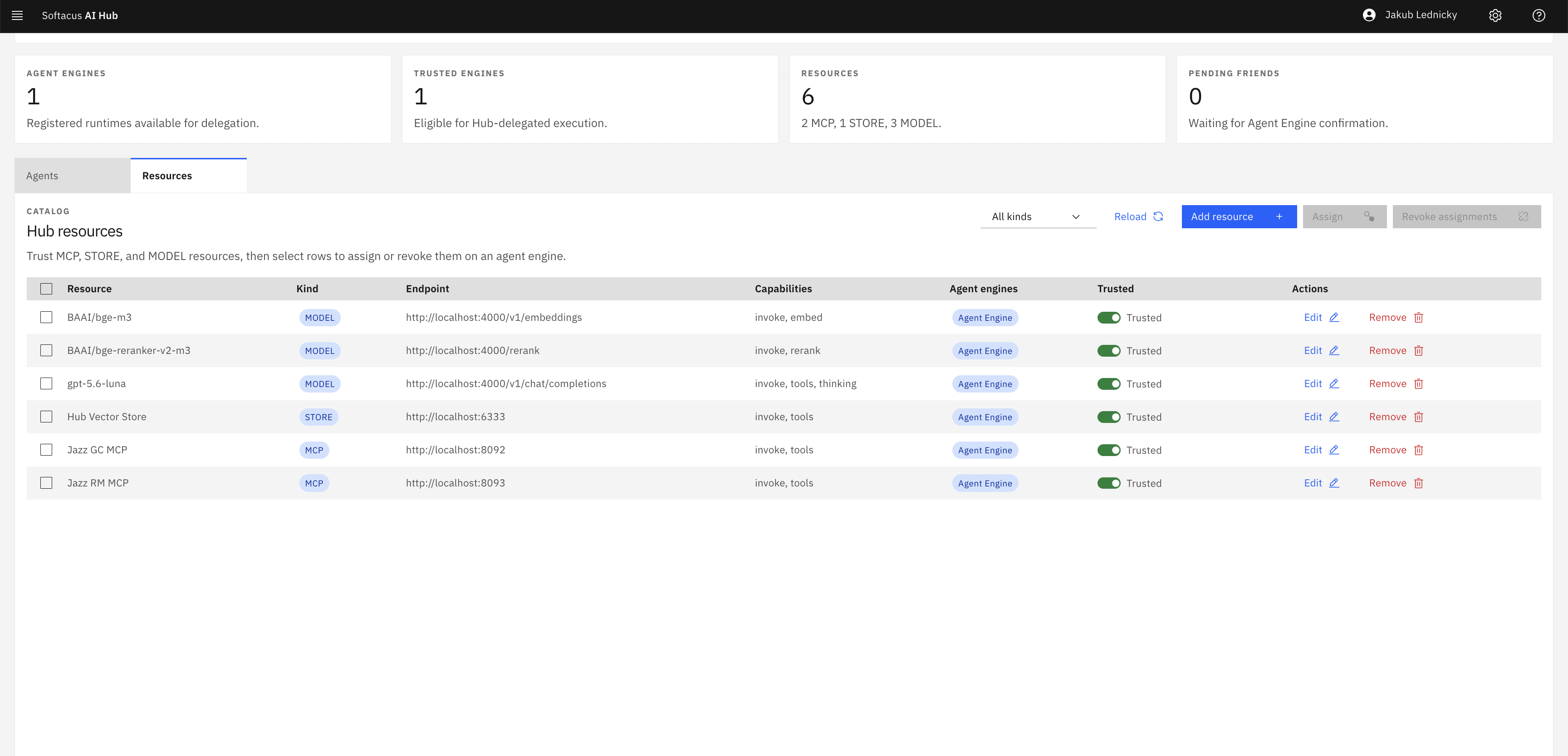
Connects to IBM ELM (DOORS Next, ETM, GC, EWM) and third-party tools (Jira, GitLab, Siemens, PTC) using open standards.
Delegated User Permissions
Every action executes under the signed-in engineer's account, preserving all user roles, permissions, and audit logs.
Human-in-the-Loop Review
AI operates in transparent analysis mode; updates to your systems of record happen only upon your explicit approval.
Engineering Assistant
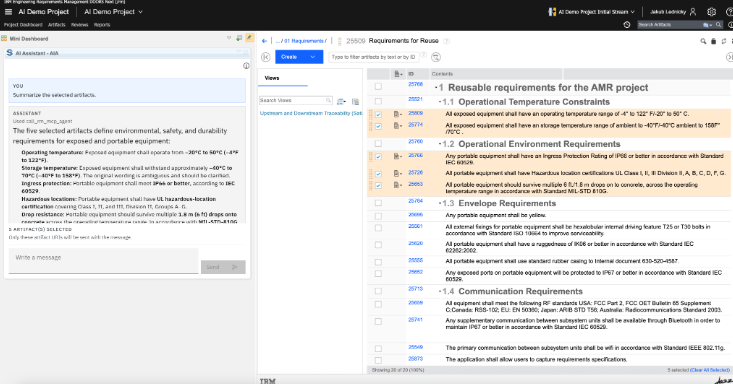
Your everyday AI companion to search, summarize, and coordinate complex tasks across your engineering tools.
Work in DOORS Next, test managmeent, and configuration
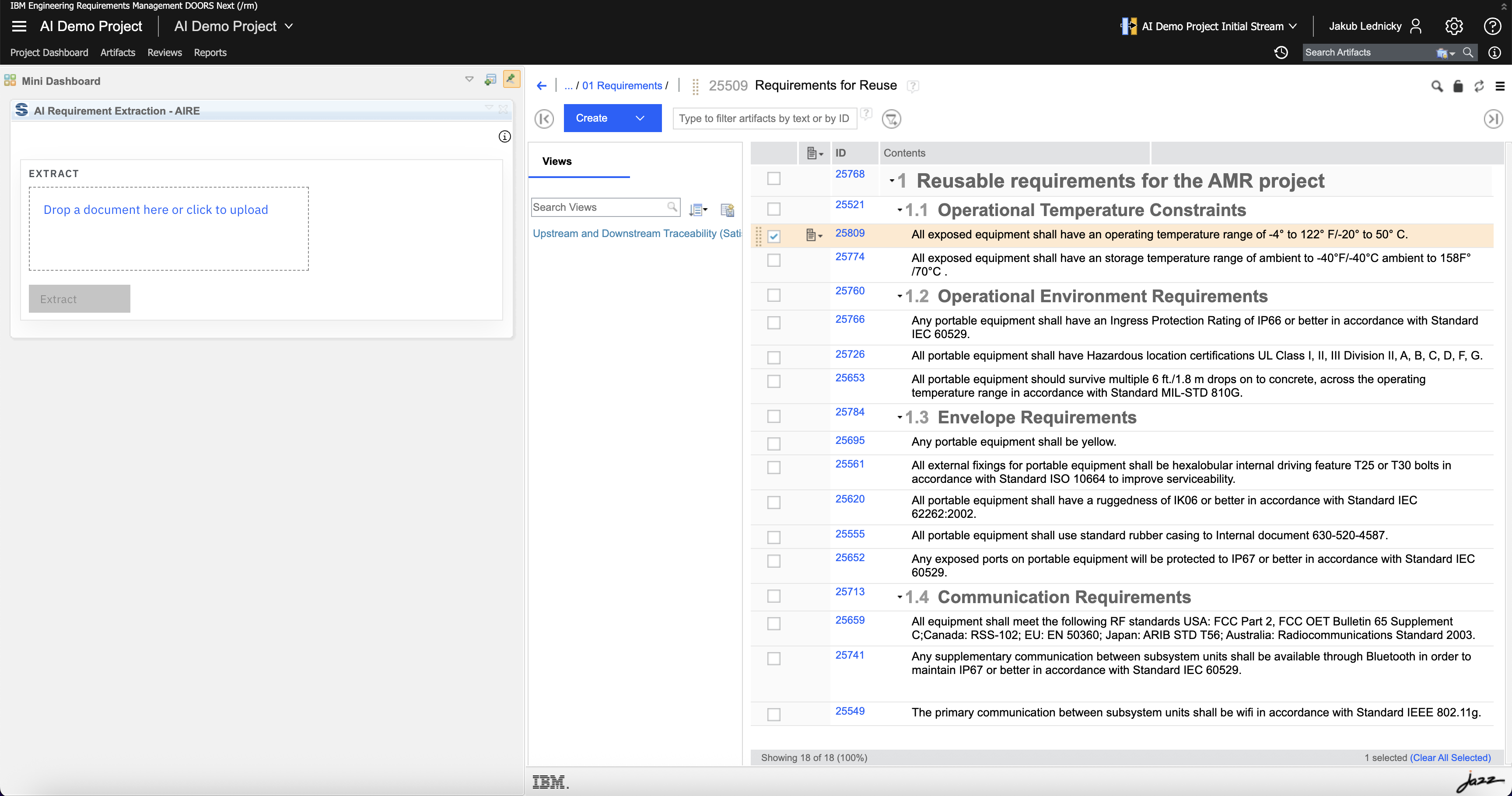
Perform everyday queries and updates in IBM ELM and third-party tools using plain language, with your existing permissions.
Summarize a work item
Turn a long Engineering Workflow Management work item into a structured synopsis.
2. Rule-Based Requirements Quality, Analysis & Compliance
Automate requirements reviews with objective rule scoring against INCOSE guidelines, medical regulations, and company catalogs.
Objective 0-100 Quality Scores
Evaluates text against 40+ formal rules and calculates weighted scores showing exactly which rules moved the score.
Auditable Rewrite Recoomendations
Generates compliant rewrites that fix ambiguity, passive voice, and untestable assertions with one-click adoption.
Automated Taxonomy Categorization
Sorts requirements into subsystems, components, or safety criticality levels (like automotive ASIL) using company rules.
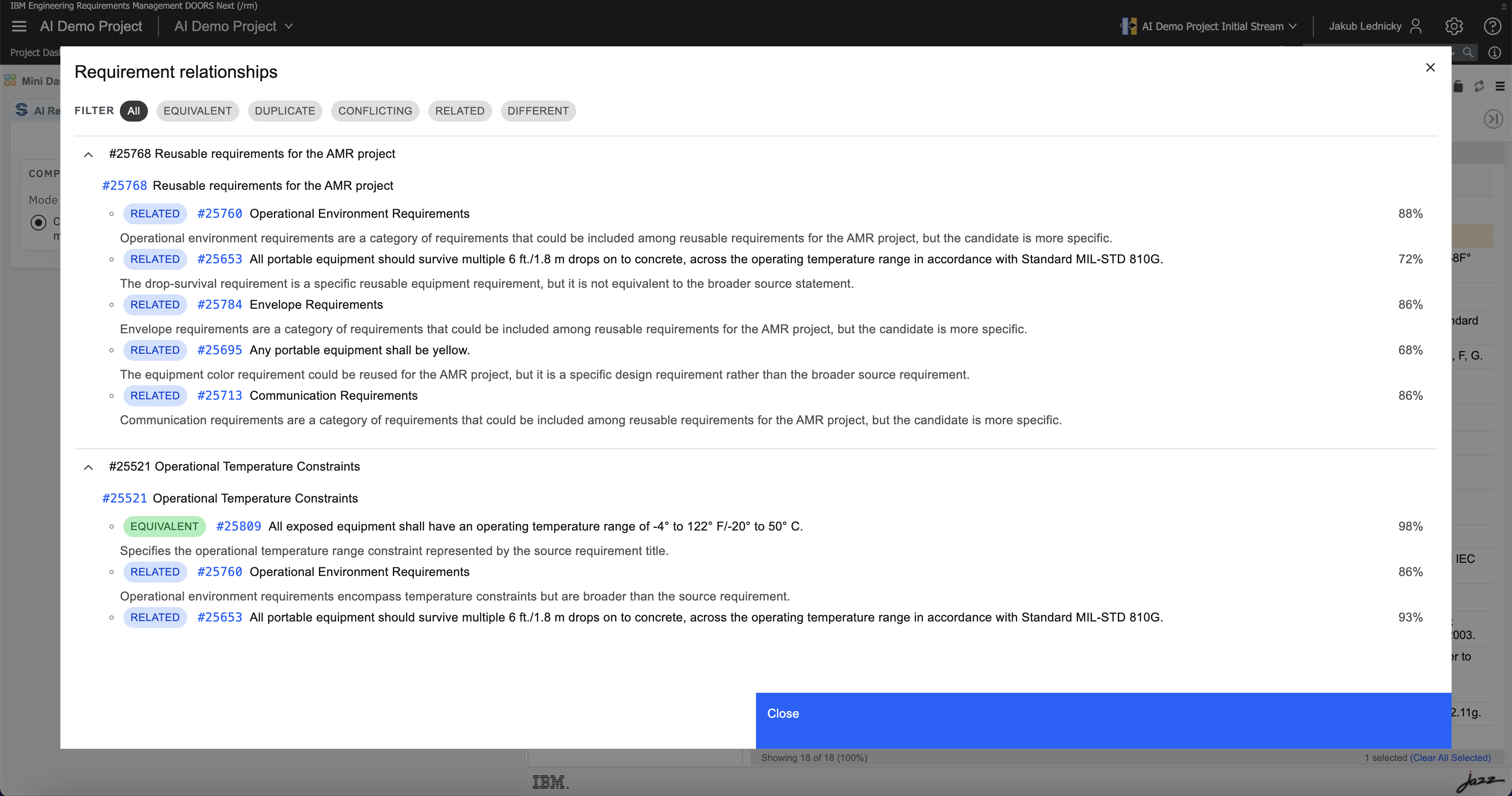
Duplicate & Conflict Detection
Detects semantic overlap and contradictions across modules and supplier specifications before design begins.
Review requirements quality
Score requirement wording from 0 to 100 against industry writing rules, and review clearer rewrites before publishing.
Categorize requirements and artifacts
Automatically classify requirements into subsystems, domains, or safety levels using your organization's rules.
Find duplicates and conflicts
Identify overlapping, redundant, or conflicting requirements across modules, even when worded completely differently.
3.Inteligent Knowledge RAG & Document Intake
Unlock engineering knowledge locked inside PDFs, Word documents, and spreadsheets, and reconcile specification baselines across revisions.
Automated Specification Extraction
Pulls structured requirement candidates from supplier PDFs, Word documents, Excel, and Markdown with verbatim quotes.
Resilient Document Reconciliation
Compares specification versions across moved or renumbered sections, highlighting word-level edits, additions, and deletions.
Grounded Project Q&A (RAG)
Ask questions against your company's specifications, standards, and manuals with exact citations to source passages.
Candidate Review Gate
Systems engineers inspect extracted candidates and side-by-side diffs before importing them into tools.
Extract requirements from documents
Turn supplier specifications, PDFs, and Office files into clean, structured requirements with direct source quotes.
Reconcile document versions and baselines
Compare two specification revisions—even when sections are moved or renumbered—and see every addition, change, and deletion.
Ask a project knowledge base
Get factual answers to technical questions from your project documents, with direct citations to the source pages.
4. Automated Verification & Test Case Generation
Turn requirements into complete, verified test designs and step-by-step test execution scripts in seconds.
Complete Test Packages
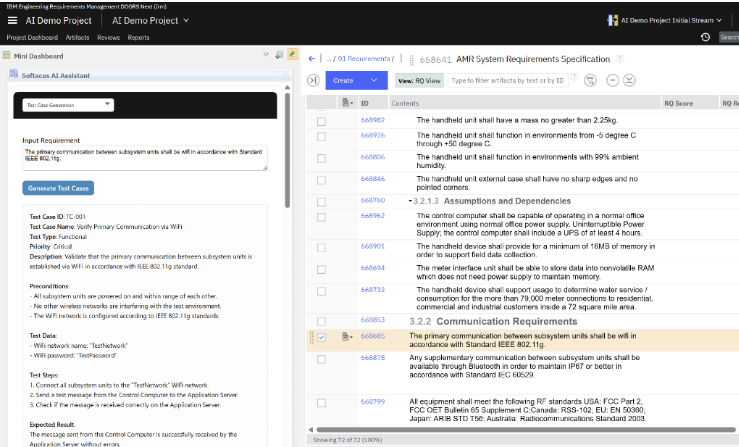
Generates test objectives, preconditions, postconditions, and ordered execution steps with expected results in seconds.
Guaranteed Bidirectional Traceability
Test cases automatically link directly back to their source requirements, ensuring full audit readiness.
Model-Based Discovery (MBSE)
Extracts actors, system boundaries, and use cases from requirements to jumpstart systems architecture models.
Direct Publishing to Test Tools
Test engineers review and refine test scripts, then publish directly to IBM ETM or third-party test managers.
Draft test cases from requirements
Turn requirements into complete test drafts with objectives, preconditions, and step-by-step verification instructions.
Discover actors and use cases
Turn written requirements into suggested actors and use cases for an IBM Rhapsody model.
Draft a work item
Turn a short brief into a draft epic, feature, or story, with a description and acceptance criteria.
The Platform Foundation & Governance
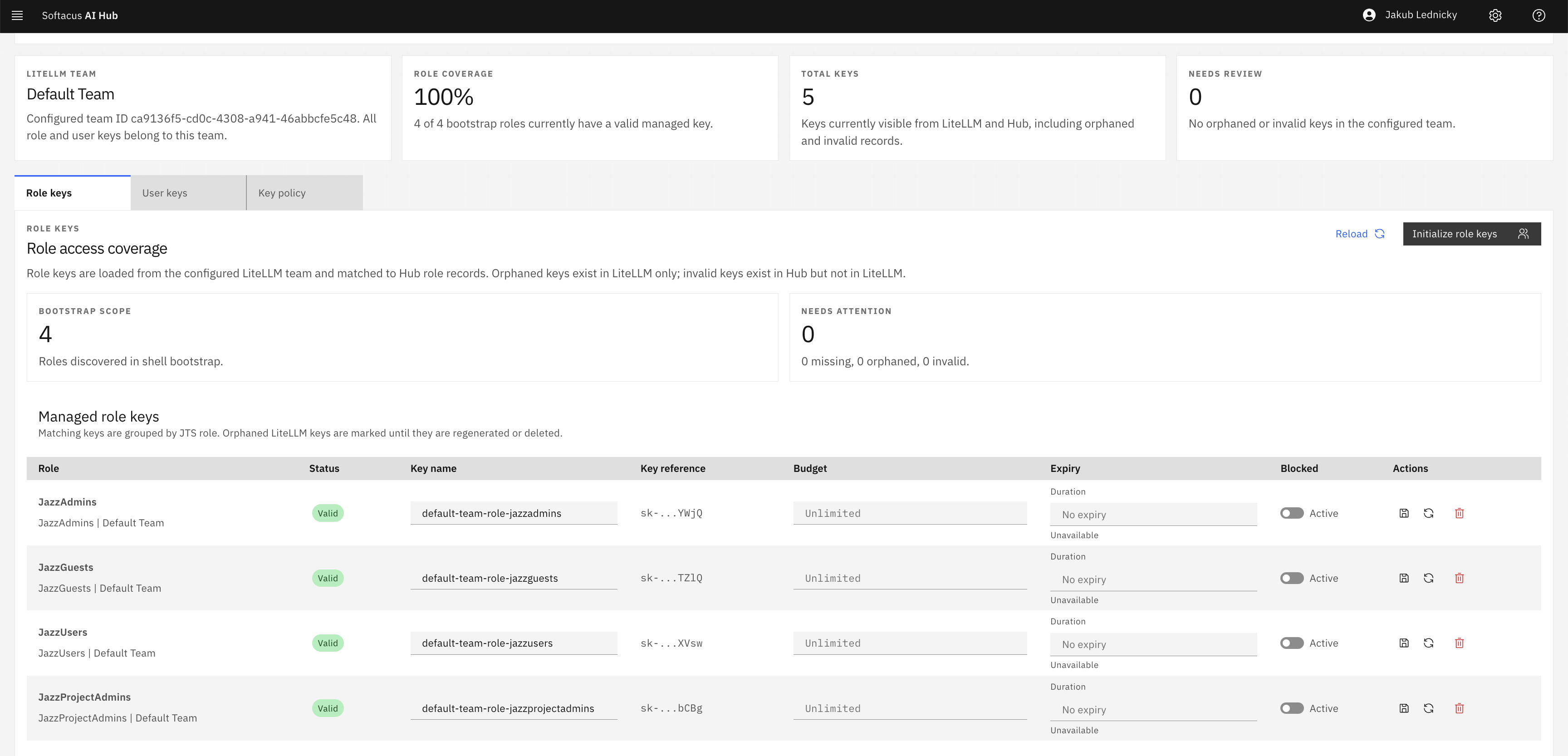
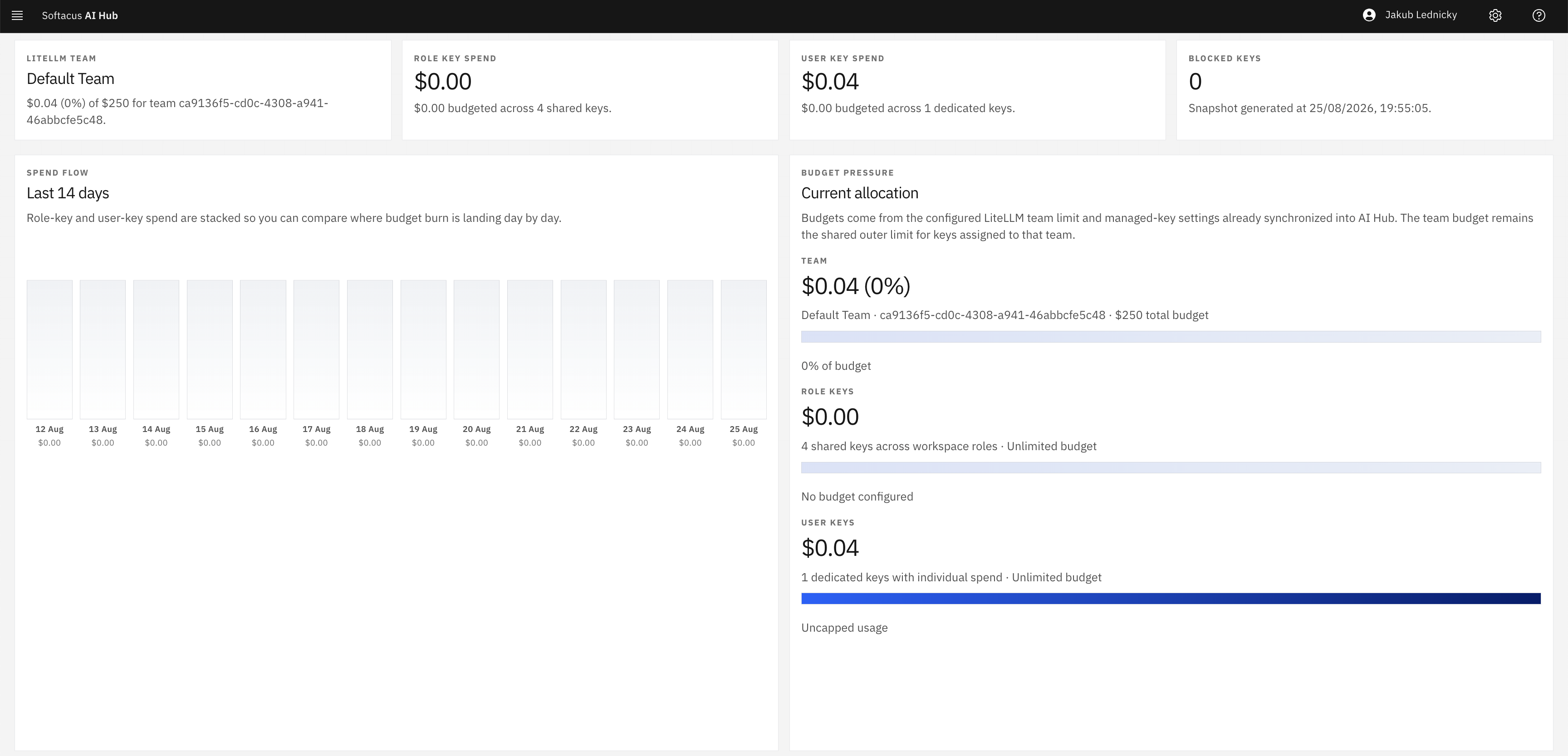
Softacus AI Hub provides the enterprise foundation: centralized agent management, user permission delegation, spending budgets, and complete audit logging.

Connect IBM & 3rd-Party Tools
Connect DOORS Next, Test Management, and Global Configuration, plus Jira, GitLab, Siemens, PTC, and documents.
100% On-Premise Privacy
Deploy inside your firewall or private cloud with local AI models for complete data sovereignty and zero external data leakage.
Enterprise Governance & Budgets
Manage agents visually, enforce role-based spending caps, and run actions under each user's authenticated login.
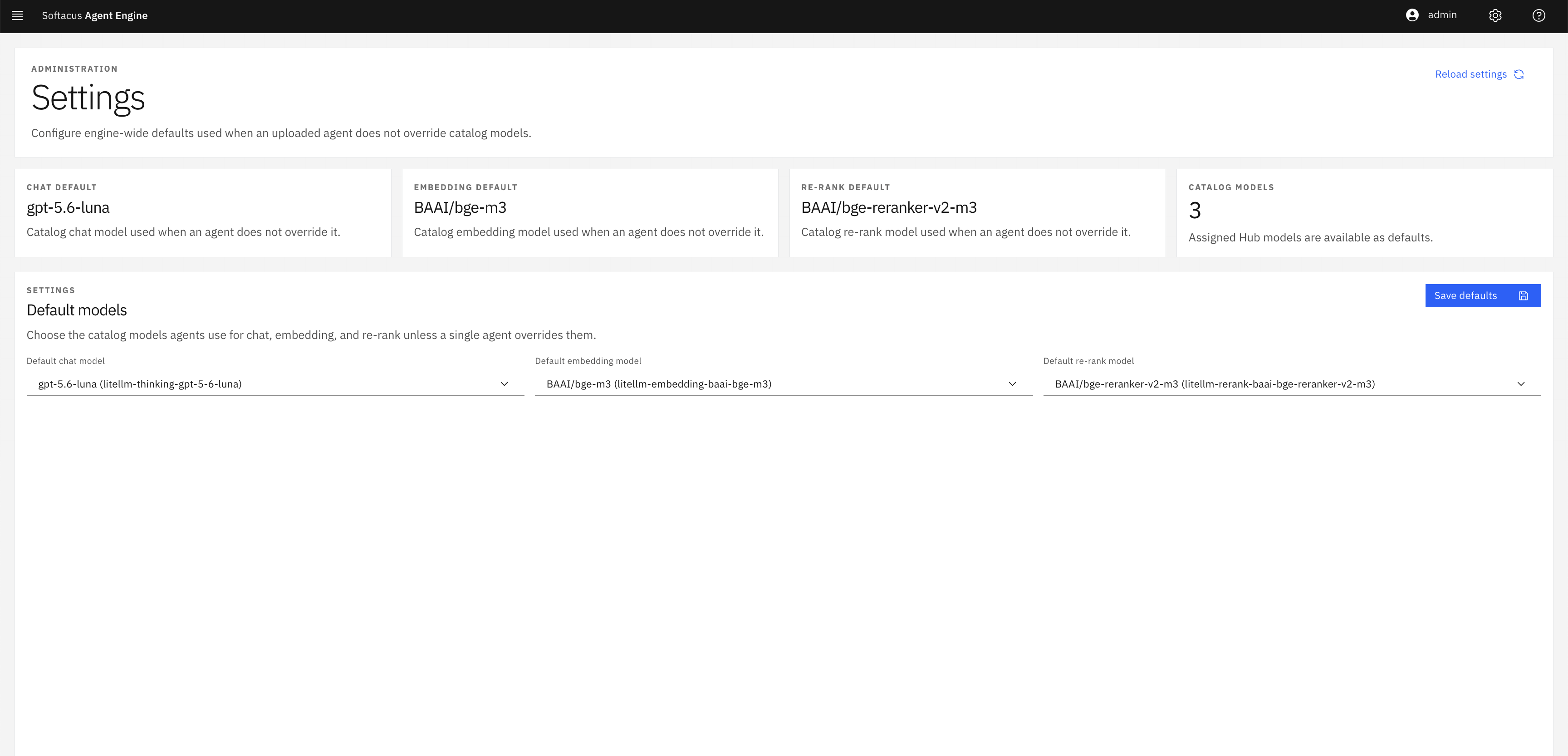
Various AI Models & technologies
100+ Supported AI Models
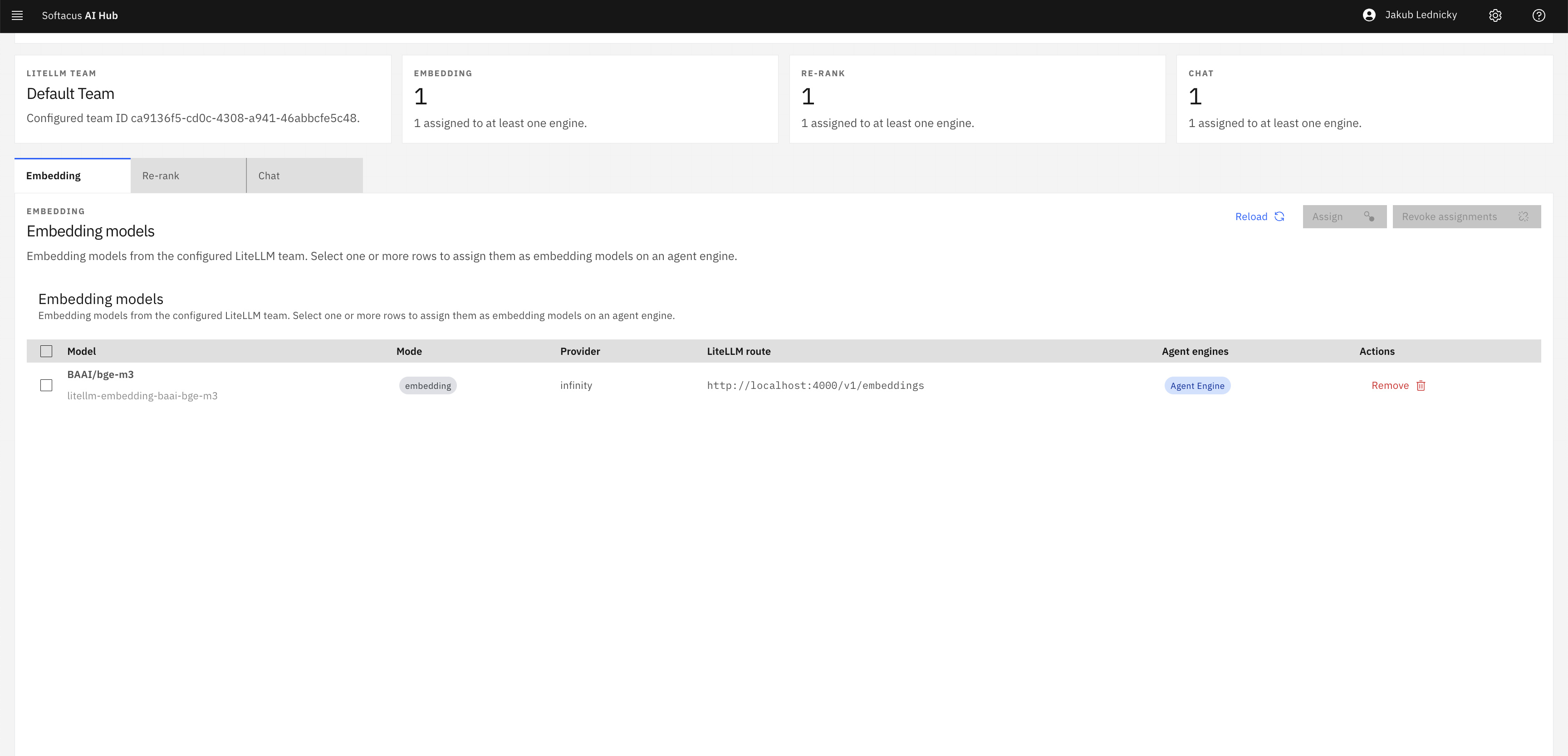
Full compatibility with leading open-source models (Granite, Llama, Mistral, Gemma) and premier cloud models (Claude, OpenAI, Gemini, watsonx).
100% On-Premise Private Models
Run models locally on internal servers with zero data sent outside your corporate network.
Zero External Token Costs
Operating local models eliminates per-prompt cloud API fees, providing predictable flat-rate engineering costs.
Switchable Models On-Demand
Assign the most cost-effective or highest-reasoning model dynamically per agent or task.
Hardware Flexibility
Deploy on standard enterprise CPU servers for pilot teams, or leverage GPU hardware for high-throughput batch analysis.
Zero External Token Costs
Operating local models eliminates per-prompt cloud API fees, providing predictable flat-rate engineering costs.
Configure model providers in AI Hub.
Cloud & Onsite deployment
Select the deployment model that best fits your security and compliance needs. Whether SaaS or on-premise.
Deploy anywhere Saas, Amazon, Microsoft, or your local site (Docker).
SaaS
Some of mentioned use cases can be run as IBM SaaS environment.
Local
Deployed via containerised installation within your on-premise or isolated environment.
Custom
Environment can be deployed in any country on typical Cloud providers. It can be managed by our team or yours.
Pricing
Softacus provides a clear, predictable cost model tailored to your team size and infrastructure needs. Existing IBM ELM and third-party software licensing remains unchanged.

Get In Touch
+41 43 5087081
jan.jancar@softacus.com
info@softacus.com
Löwenstrasse 20 8001 Zürich Switzerland
Sign up to our newsletter
Stay up to date with the latest news, announcements, and articles.

We are experts when it comes to consulting and service delivery of IBM software products and solutions in your business.
© 2025 Softacus AG