Engineering Assistant
Give engineers a single, natural-language interface to search, understand, and work with project information across IBM Engineering Lifecycle Management (ELM), databases, documentation, knowledge graphs, and other connected sources.
Find information faster, summarize complex engineering content, translate requirements, and execute actions across connected systems—without constantly switching between tools.
Benefits
The Challenge
Engineering knowledge is distributed across systems, documents, and teams.
Requirements, test artifacts, work items, technical documentation, and project knowledge often live in different applications and data sources. Finding the right information can require multiple searches, specialized tool knowledge, and significant manual effort.
For complex projects, this makes it harder for engineers to quickly understand context, collaborate across teams, and make informed decisions.
The Solution
One conversational interface for your engineering environment.
The Engineering Assistant allows engineers to interact with project information using natural language.
Ask project-specific questions, search across connected sources, summarize large volumes of engineering content, or translate requirements while preserving good requirement-writing practices.
The assistant can also orchestrate specialized AI agents, bringing multiple AI capabilities together through a single interface.
Through MCP integration, it can interact directly with IBM ELM applications such as DOORS Next and Engineering Test Management (ETM) to work with requirements, test artifacts, work items, links, and other supported engineering entities.

1.) Assistant pulling from connected sources
How It Works
1. Ask
Use natural language to ask questions about requirements, tests, project data, or other engineering information.
2. Search
Search across IBM ELM, vector stores, knowledge graphs, databases, documentation, and other connected sources to retrieve relevant information.
3. Understand
Get context-aware answers, summaries, translations, and requirement-specific tips and considerations.
4. Take
Action Create, analyze, update, or delete supported artifacts and data directly in connected engineering systems.
5. Automate Workflows
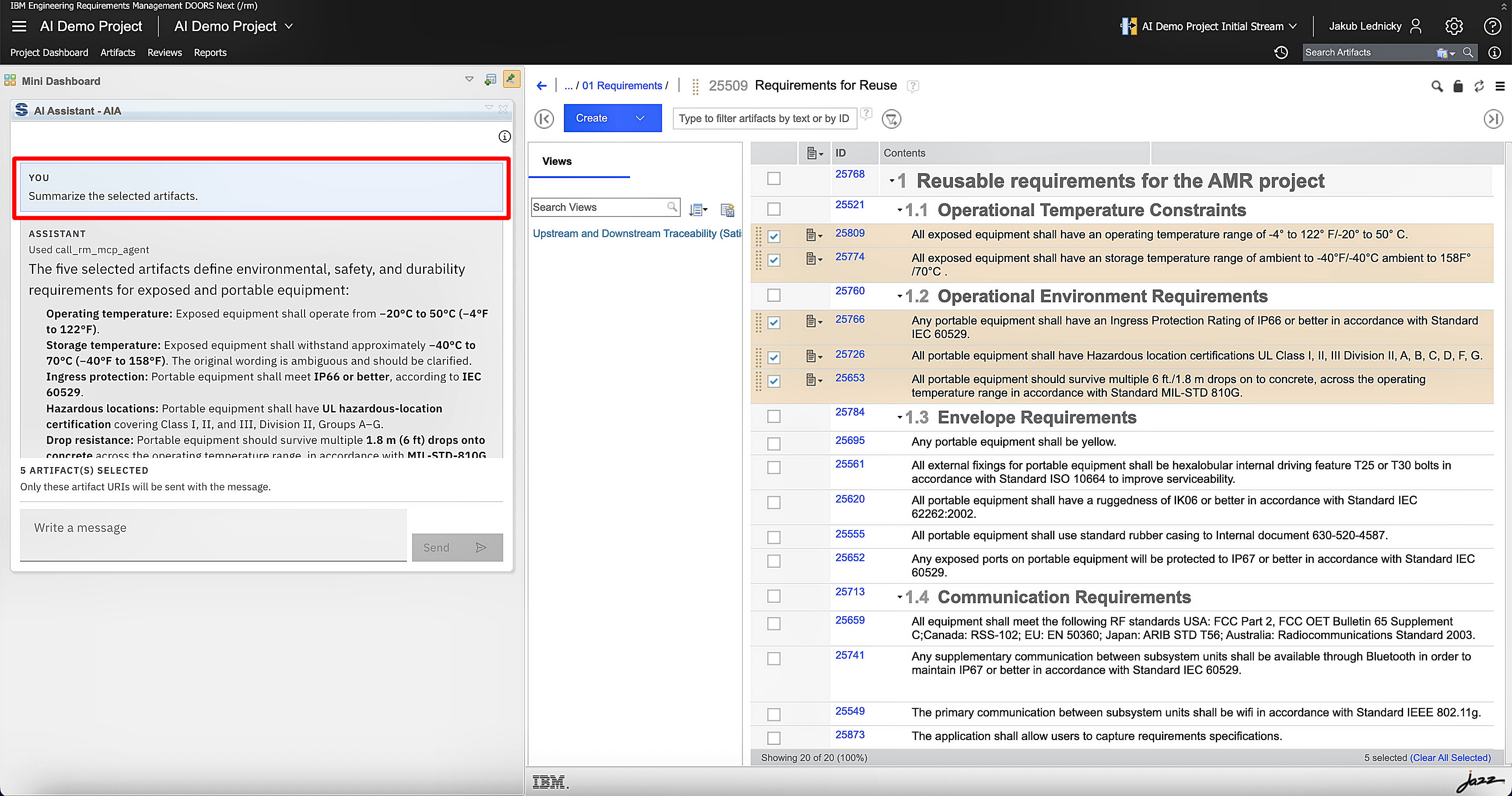
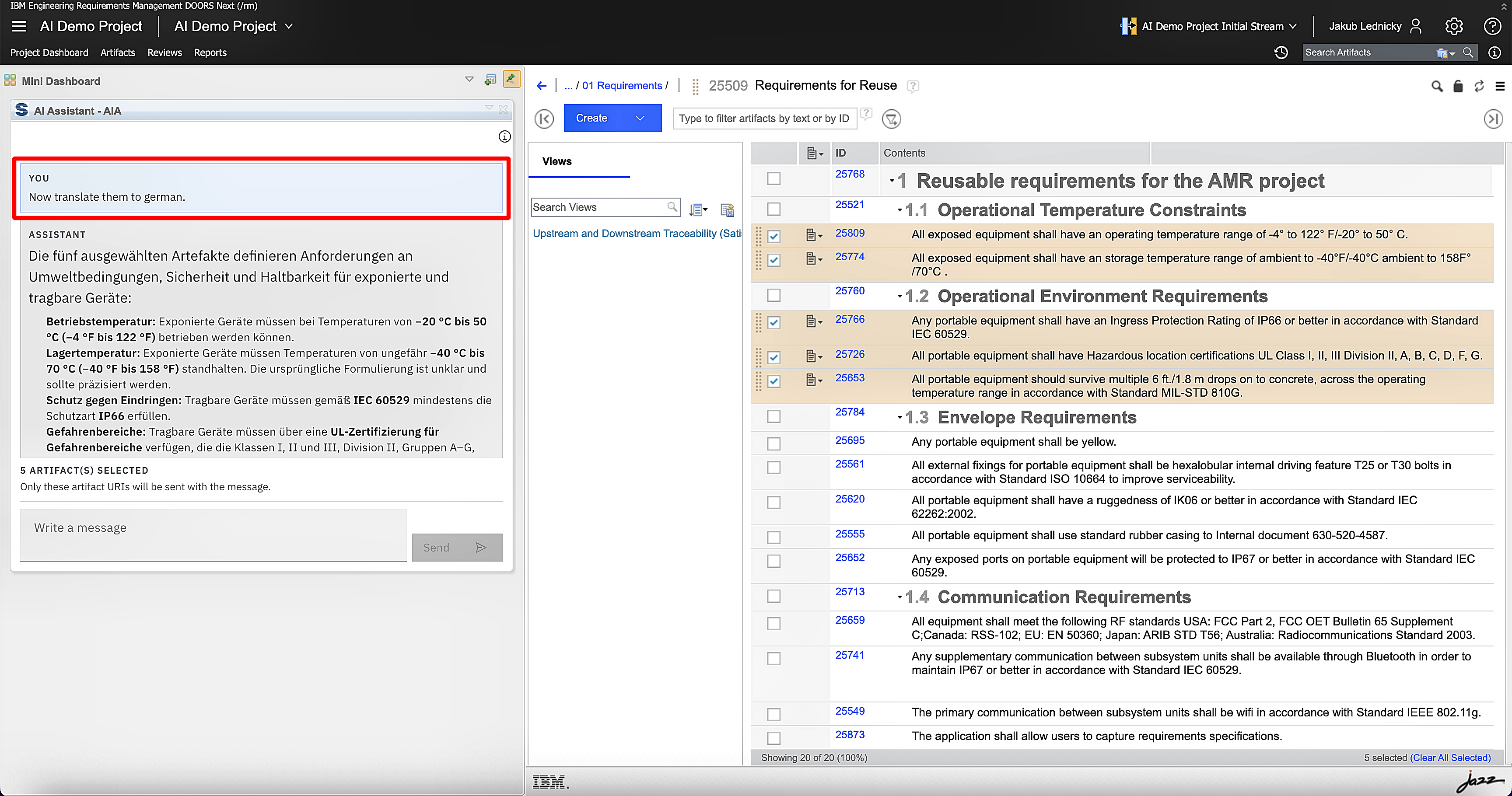
Execute multi-step operations through a single request—for example: summarize requirements → translate the summary → write the translated content back to a selected attribute.

2.) Assistant scoped to a project/module — matches “context-aware results”
Key Capabilities
AI-Enabled Search
Find relevant engineering information across multiple connected sources without manually navigating between systems.
Ask Engineering Questions
Ask questions in natural language and receive precise, context-aware answers based on available project data.
Summarize Complex Content
Turn large volumes of requirements or project information into concise summaries at project, module, or other relevant levels.
AI-Assisted Translation
Understand content written in other languages and translate requirements while maintaining guidelines for high-quality requirement writing.
Interact with IBM ELM
Use MCP integrations to interact with DOORS Next, ETM, and other supported applications directly through natural-language instructions.
Orchestrate AI Agents
Access specialized AI capabilities through one interface, with the Engineering Assistant coordinating the appropriate agents and operations.
One interface for engineering knowledge and action.
Transform the way engineers interact with project data. Search across connected systems, ask questions, generate summaries and translations, and perform engineering operations—all through natural language.
Spend less time searching and navigating tools.
Spend more time engineering.
See the Engineering Assistant in action
Discover how a unified AI interface can make engineering knowledge easier to find, understand, and act on across your connected engineering environment.